Scenario-based narration
Story, Dialogue, Explainer and Simple modes shift tone and pacing to fit the content, with an intensity control for how far delivery leans in.
From how a book gets into Hoowooh to how it sounds once it's narrated, every feature is built around one goal: turning reading time into listening time without losing what made the book worth reading.
Your audiobook home, all in one screen
See your Words balance, pick up what’s in progress, and start a new audiobook from a file or your camera.
Coming Soon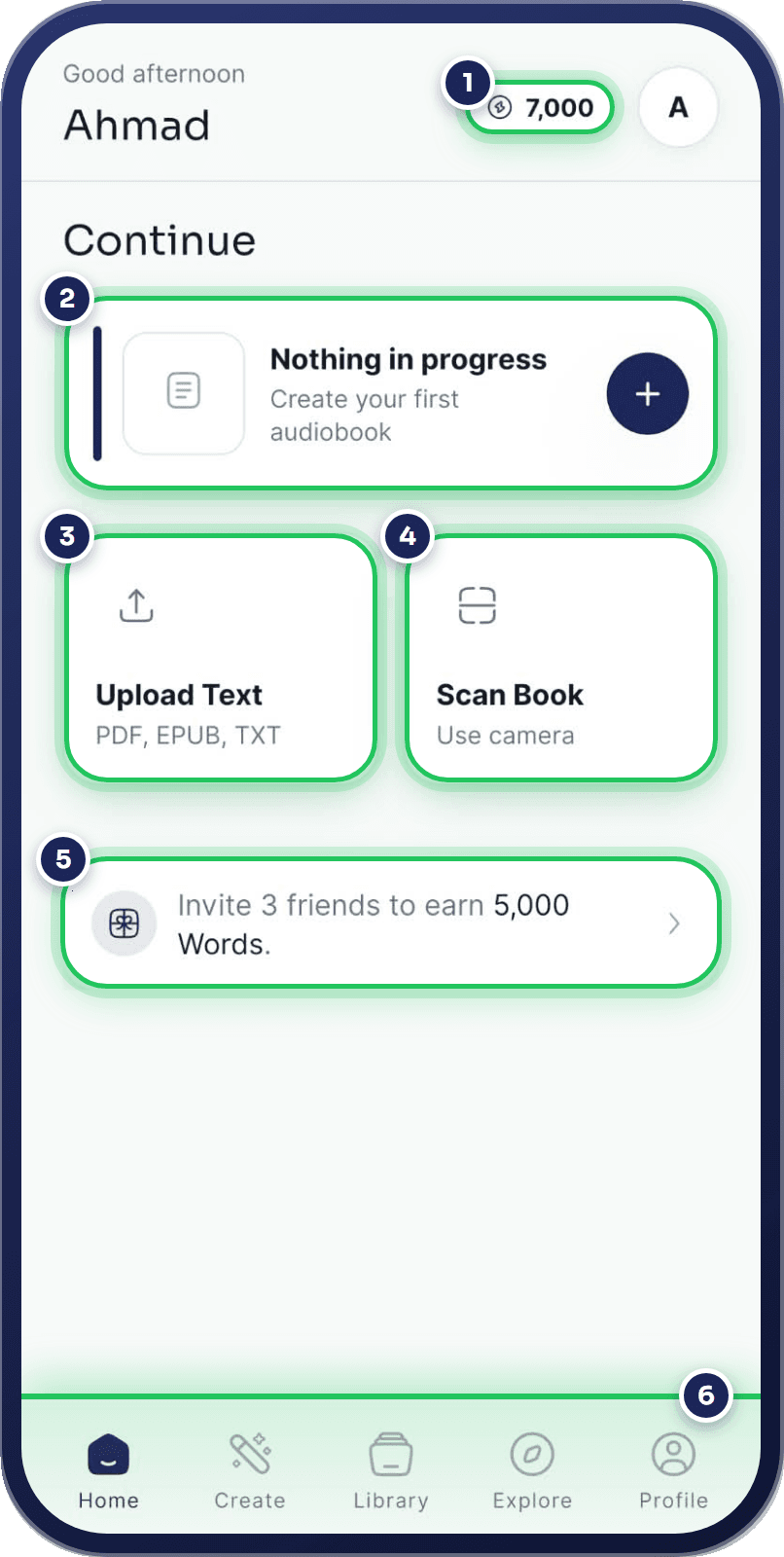
Story, Dialogue, Explainer and Simple modes shift tone and pacing to fit the content, with an intensity control for how far delivery leans in.
Preview a library of expressive voices before you generate, from warm long-form narrators to brighter, more dramatic readings.
Create a private, consent-based custom voice from a short sample and use it to narrate your own audiobooks.
Upload a reflowable EPUB or a text-based or scanned PDF — chapters and metadata carry through where the file supports it.
Point your camera at a printed page and let OCR turn it into text you can review before narrating.
Paste text or upload notes and manuscripts that don't need the full ebook workflow.
Playback speed, seek, chapter navigation, a sleep timer and background playback while you use other apps.
Download any generated audiobook as MP3 and keep listening with no internet connection.
App interface, text recognition and narration voices are built around broad language support.
An audiobook player is used differently than a music player — longer sessions, more interruptions, more need to pick up exactly where you left off.
Every player control works identically whether you're streaming or listening to a downloaded file.
Consent-based voice cloning, clear deletion controls and documented copyright boundaries are treated as features, not afterthoughts.
Custom voices require the speaker's clear permission, always.
Remove uploaded files, scans, voices and downloads from your account at any time.
Convert only books and documents you own or are authorized to use.
Check recognized text before it becomes narration, every time.
Join the Hoowooh waitlist to hear when the full feature set is ready.
No unsupported ratings, fake testimonials or placeholder pricing. Launch details will match the live product.