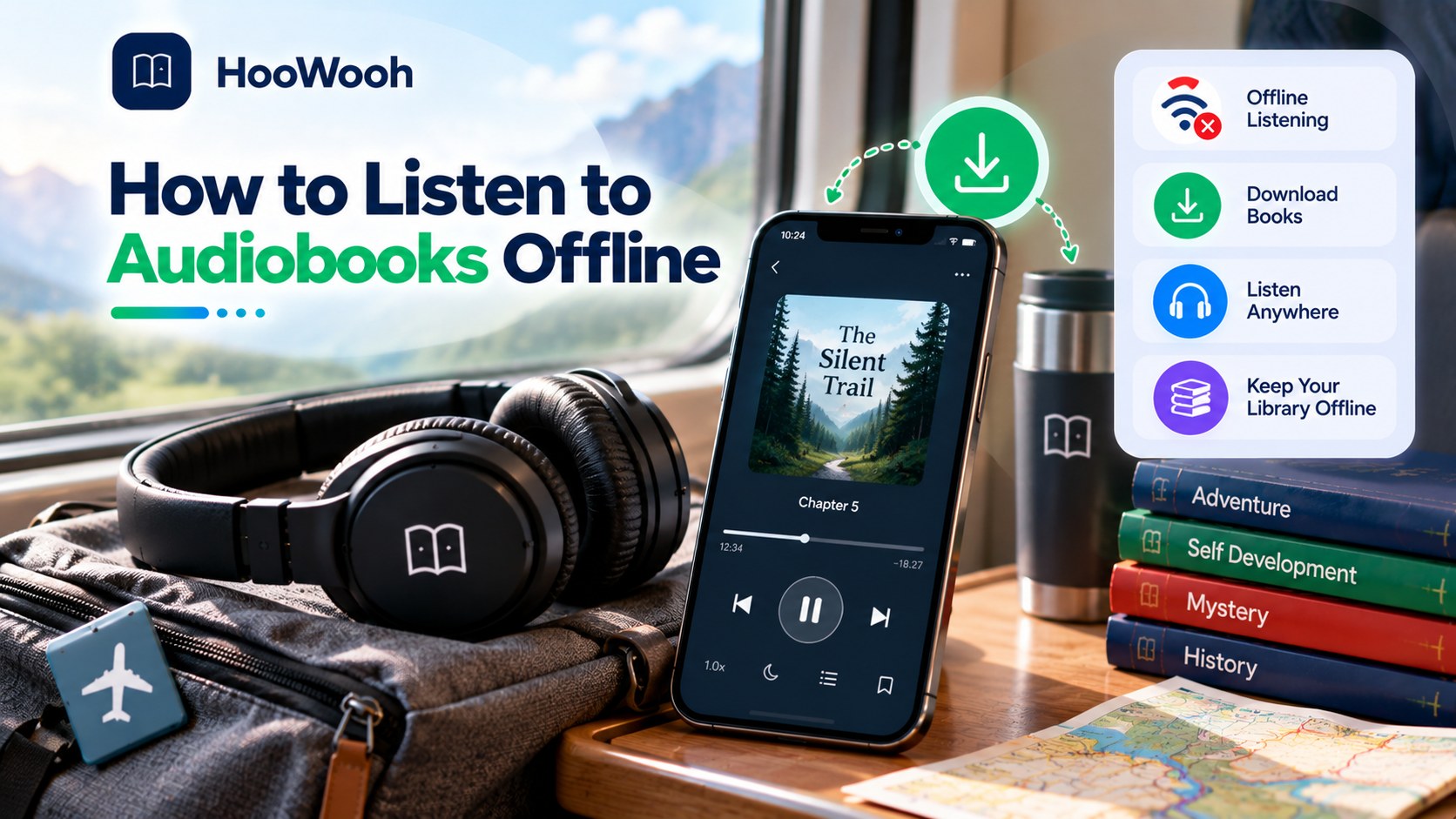
How to Listen to Audiobooks Offline in 2026 starts with one simple step: make sure the audio is stored on your device before you lose internet access. Yet not every download works the same way. This guide explains app downloads, local files, airplane mode, storage, travel, subscriptions, and personal AI audiobooks in clear terms.
What Does Offline Audiobook Listening Actually Mean?
Offline listening means playing an audiobook without an active Wi-Fi or mobile-data connection. The audio must already be available on the device, either through an app download or as a local audio file.
The important detail is where that audio lives. Some audiobook downloads remain inside one app and depend on its account rules. Other audiobook files can be stored in folders and opened with a compatible player. Both can work offline, but they give the listener different levels of control.
Understanding that difference helps you avoid a common travel problem: seeing a book in your library and assuming it is ready to play when it has not actually been downloaded.
Three Ways Audiobooks Can Work Offline
In-App Downloads
An in-app download stores enough audiobook data on the phone or tablet for offline playback. It is usually the easiest option because the app handles chapters, progress, cover art, and playback controls. However, the stored data may not behave like a normal file that you can freely move.
Downloadable Audio Files
Some audiobooks are provided as standard audio files. MP3 audiobooks offer broad compatibility, while M4B audiobooks are designed more closely around long-form listening and may support chapters or remembered positions in compatible players.
A Local Audiobook Library
A local audiobook library is a collection you keep on your own device or storage. It can be useful for people who want more control over folders, backups, players, and device transfers. The trade-off is that you manage more of the organization yourself.
How to Listen to Audiobooks Offline in 2026
The basic process is simple. Choose the audiobook, download or save it while you have a reliable connection, wait for the transfer to finish, and then test the book without internet.
Do not rely only on a download icon. Open the book, move to a later chapter, and play a short section after turning off Wi-Fi and mobile data. This confirms that the content you need is really stored locally.
If you are preparing for a flight or long journey, complete this test before leaving. Fixing a failed download is much easier at home than after you are already offline.
Do You Need Internet After Downloading an Audiobook?
Usually, properly downloaded audio can play without a continuous internet connection. However, the exact behaviour depends on how the audiobook was obtained and how the app manages access.
An app may occasionally need an online connection for account checks, syncing, borrowing rules, or new downloads. A local audio file normally does not need streaming once it is stored and supported by your player.
This is why offline playback and permanent file ownership should not be treated as the same thing.
Does Downloading an Audiobook Mean You Own the File?
No. The word download can describe different things. An app may save protected content for offline listening without giving you a portable audiobook file.
If you receive a normal audio file that you are allowed to keep, you may have more flexibility over where it is stored and which compatible player opens it. In-app content can be more restricted.
Always separate three questions: Can I listen without internet? Can I move the file? And will I still have access later? The answers may be different.
Offline Download vs Actual Audiobook File
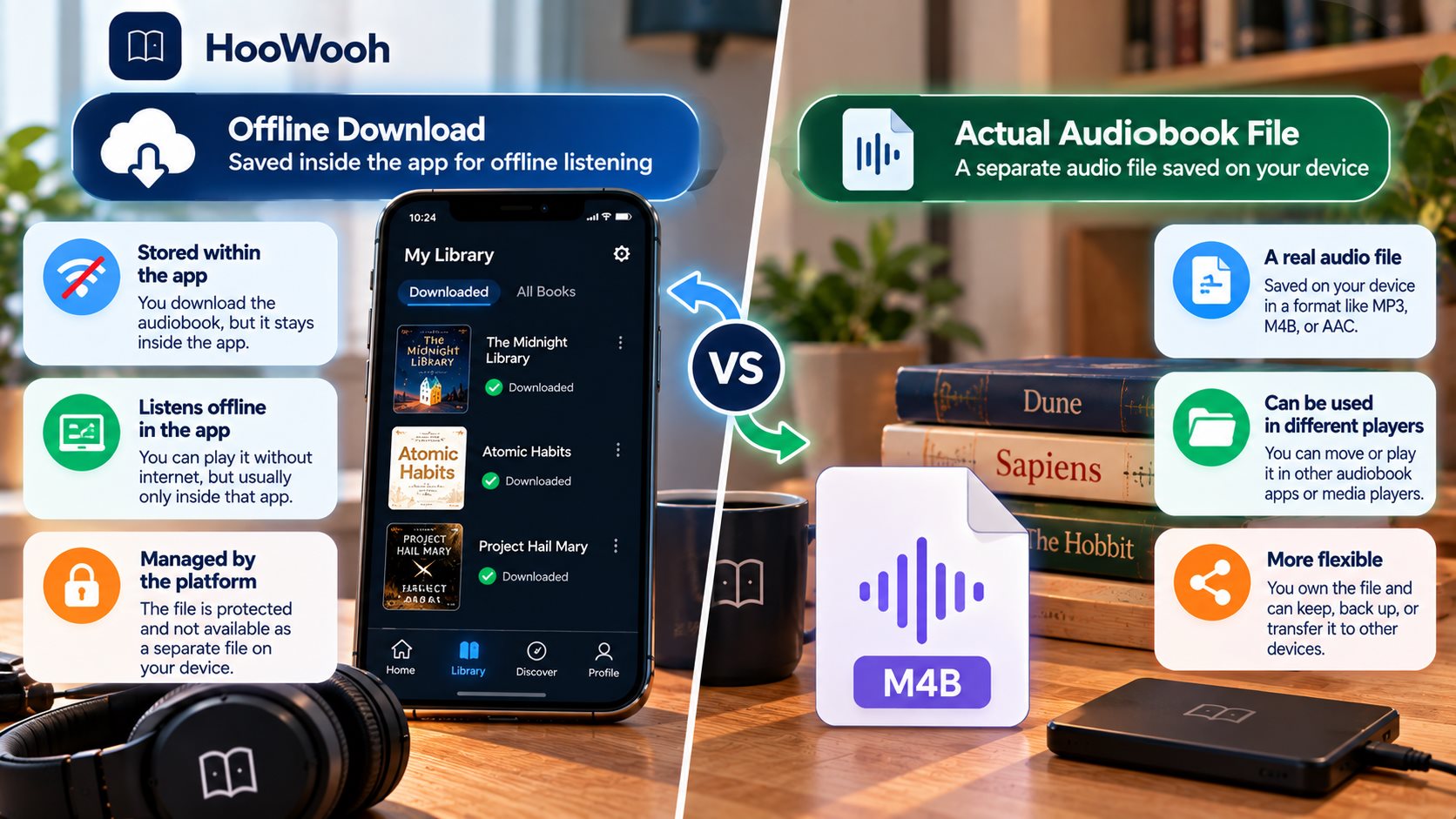
An in-app download is designed for convenience. A local file is designed around direct file access. Neither approach is automatically better. The right one depends on whether you value simple library management or greater control over your audio.
| Feature | In-App Offline Download | Local Audio File |
|---|---|---|
| Works without internet | Usually, after download | Yes |
| Requires original app | Often | Not always |
| Device transfer | May be limited | Usually more flexible |
| Player choice | Usually limited to app | Depends on file format |
| File management | Mostly automatic | Managed by user |
Can You Listen to Audiobooks in Airplane Mode?
Airplane mode is one of the best ways to test true offline listening. Download the audiobook first, switch on airplane mode, and then open the player. Try the beginning and at least one later chapter.
If the book plays normally, the required audio is on the device. If the app asks to connect, check whether the download finished or whether that content has additional access requirements.
Testing also reveals whether bookmarks, chapter navigation, playback speed, and resume position still behave the way you expect.
How to Prepare Audiobooks for Offline Travel
Travel is where offline audiobooks become especially useful. A few checks before leaving can prevent missing chapters, storage errors, or a book that only streams.
- Download the complete book over a stable connection and wait for every chapter to finish.
- Check available audiobook storage before saving several long titles.
- Open the book once, test chapter navigation, and confirm your preferred playback speed.
- Turn on airplane mode and play more than one part of the audiobook.
- Charge the device and pack the headphones or audio player you plan to use.
Can You Transfer Offline Audiobooks to Another Device?
Transfer depends on the type of audiobook. A portable MP3 or compatible M4B file can often be copied to another supported device. An in-app download may remain tied to the original app and its account system.
If you regularly move books between a laptop, phone, tablet, or dedicated player, check file compatibility before building a large library. A format that works perfectly on one device may not preserve chapters or bookmarks on another.
Smartphones and Tablets
Phones and tablets are convenient because they combine downloading, storage, playback, and headphones in one device. They also make it easy to change playback speed or resume a book during short listening sessions.
Laptops and Computers
A computer can hold a larger local audiobook library and makes file organization easier. It can also act as the place where personal audio is prepared before being copied to a mobile device.
MP3 Players and Offline Audio Devices
Dedicated players can be useful when you want listening without notifications or mobile data. Before transferring a book, confirm that the device supports the file type and that long tracks resume correctly.
MP3 vs M4B for Offline Audiobooks
MP3 is widely supported and easy to move between many devices. It is a practical choice when compatibility matters most.
M4B is more audiobook-focused. Depending on the player, it can support chapter information, cover art, and remembered playback position in a way that feels more natural for long books.
The best format is the one your devices handle reliably. Test one book before converting or transferring an entire collection.
Can You Listen to Library Audiobooks Offline?
Borrowed audiobooks may support offline listening after they are downloaded through the approved library workflow. However, borrowing periods still matter.
A downloaded borrowed book should not be assumed to become a permanent local file. When the lending period ends, access can change according to the library or app rules.
Download borrowed books early enough to confirm they work offline before travel, and check the return date if you will be away for several days.
Will Downloaded Audiobooks Expire?
Some can. A personal audio file you lawfully keep does not behave the same way as borrowed or subscription-based content. Temporary access may end even if the book was previously downloaded.
Expiration is therefore about the access model, not simply whether the audio touched your device. Purchased, borrowed, subscription, and personal audiobooks can follow different rules.
If long-term access matters, understand the terms before depending on one title for an extended offline period.
Will an Audiobook Work After You Cancel a Subscription?
There is no single answer for every service. A title you purchased may be treated differently from a book available only through a subscription catalogue.
Do not assume that downloading a subscription title makes access permanent. Check how the specific service treats purchased content, catalogue content, and cancelled memberships.
For a personal local audiobook file, subscription status may not be relevant at all.
What Happens If You Delete the Audiobook App?
Deleting an app can also remove data stored inside that app, including offline downloads. Your account library may still remember eligible titles when you reinstall, but you may need to download the audio again.
A separate local file stored outside the app can behave differently. This is another reason to understand whether you have an app-managed download or a normal audiobook file.
Before deleting an app to free storage, check what will happen to its downloaded content and any unsynced listening progress.
Can You Listen to Audiobooks Offline for Free?
Yes, depending on the source and your rights to the material. Free offline listening can include public-domain audio, eligible library borrowing, promotional titles, personal recordings, or audio created from text you are allowed to convert.
Avoid treating 'free download' as permission to copy any commercial audiobook. Copyright and access rules still apply when listening offline.
For personal content, AI narration can also create a listening version of material you own or have permission to use.
Can You Create Your Own Audiobook for Offline Listening?
Yes. Personal audiobook creation is useful when the text does not already have an audio edition. A manuscript, study document, story, or other permitted material can be prepared for AI narration and then used as audio where the chosen workflow supports saving or downloading.
The best results start with clean text. Remove broken formatting, repeated headers, and obvious errors before generation. Then listen to a sample and check names, numbers, pauses, and section breaks.
This approach connects audiobook creation with offline listening: generate while connected if needed, prepare the finished audio, and then listen without depending on streaming.
Can You Turn PDFs and Ebooks Into Offline Audiobooks?
A PDF to audiobook or ebook to audiobook workflow can make long reading material easier to use away from a screen. The first step is extracting the text in the correct order.
Clean ebooks are usually easier to process than complex PDFs. Scanned pages may need text recognition, while tables, diagrams, and multi-column layouts may still need visual review.
After AI narration is generated, the finished audio can become part of an offline routine when the selected workflow allows local playback or downloads.
Does AI Audiobook Generation Work Offline?
Offline playback and offline generation are different. Many AI audiobook workflows can require an internet connection to process text and create the narration, even when the finished result can later be heard offline.
A local AI setup may process more of the work on your own hardware. That can reduce dependence on cloud processing, but it may need more storage, memory, setup, and computing power.
For most listeners, the practical question is simple: do you need internet while creating the audio, while listening, or during both stages?
How Much Storage Do Offline Audiobooks Need?
Audiobook storage depends on the length of the book, audio format, bitrate, quality settings, and whether the content is split into many files. A short title can be small, while a long high-quality production can take much more space.
Check free storage before a large trip. Remember that phones also need room for photos, updates, messages, and normal app data.
If space is limited, keep the books you plan to finish soon and remove completed downloads that can be restored later.
What Features Should Work While You Are Offline?
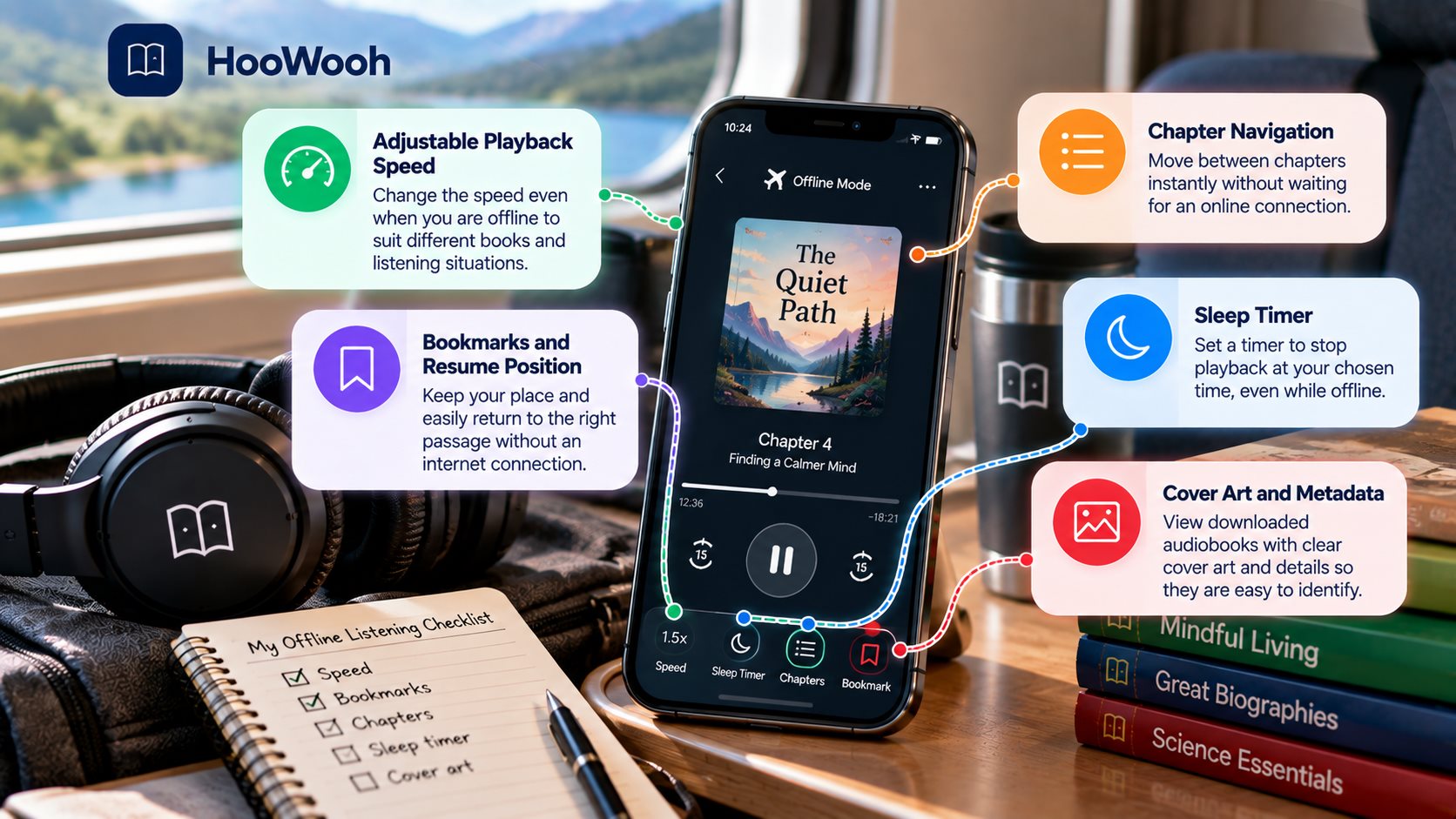
Offline listening should still feel like normal audiobook listening. The exact feature set depends on the player, so test the controls that matter to you before disconnecting.
- Playback speed should remain adjustable for different books and listening situations.
- Bookmarks and resume position should help you return to the right passage.
- Chapter navigation should work without waiting for an online connection.
- A sleep timer should continue to stop playback at the chosen time.
- Local cover art and metadata should make downloaded audiobooks easy to identify.
Is Offline Audiobook Listening More Private?
Offline playback can reduce the need to stream audio continuously, but it does not automatically make the whole audiobook workflow private. The book may still have been purchased, borrowed, synced, or generated through an online account.
If privacy matters, consider where the source text, voice data, listening history, and audio files are processed or stored. A local audiobook library gives more direct file control, but the original source can still involve online services.
Privacy should be judged across the complete workflow, not only during playback.
How to Test an Audiobook Before Going Offline
A short test is the safest way to know whether your setup is ready. Do it while you still have internet access so you can repair a missing download or change players if needed.
- Finish the download and confirm that no chapter still shows a loading or download symbol.
- Switch on airplane mode so both Wi-Fi and mobile data are unavailable.
- Play the beginning, middle, and a later chapter instead of testing only the first minute.
- Change playback speed, add a bookmark, and close and reopen the player.
- Confirm that the book resumes correctly and that your headphones or offline device work as expected.
Where Hoowooh Fits Into Offline Audiobook Listening
Hoowooh fits naturally into the step before offline listening: turning written content into expressive audio. When you have text you are allowed to convert, AI narration can help create a listening version that suits study, personal reading, storytelling, or long-form content.
The source should be prepared carefully. Clean text, useful section breaks, and a quick pronunciation check make the finished narration easier to listen to. After generation, use the available output and playback options that fit your offline routine.
The aim is simple: make written content easier to hear when looking at a screen or relying on a live internet connection is inconvenient.
Frequently asked questions
Can I Listen to Audiobooks Without Wi-Fi? Yes, if the audiobook has already been downloaded or stored locally in a format your player can open. Test the book with Wi-Fi and mobile data turned off before relying on it.
Can I Listen to Downloaded Audiobooks in Airplane Mode? Yes, properly stored offline audiobooks can play in airplane mode. Test more than one chapter before travel because seeing a title in your library does not always mean every part is downloaded.
Do Downloaded Audiobooks Expire? Some do. Borrowed or subscription-based titles may have access limits, while personal local files can follow different rules. The download method and access model determine what happens later.
Can I Transfer Downloaded Audiobooks to an MP3 Player? You can transfer compatible audiobook files when you have access to the actual file and permission to use it that way. In-app offline downloads may not be portable. Check the player's supported formats first.
Can I Create an Audiobook and Listen to It Offline? Yes. You can create AI narration from material you are allowed to use and then listen offline when the workflow provides a downloadable or locally playable result. Generation itself may still require an internet connection.
Make Sure Your Audiobook Is Really Offline Before You Leave
How to Listen to Audiobooks Offline in 2026 comes down to knowing what you downloaded and testing it before you disconnect. In-app downloads, local audiobook files, borrowed titles, and personal AI audiobooks can all behave differently. Check storage, chapters, airplane mode, playback controls, and access rules before travel.
Hoowooh can help turn permitted written content into natural audio for a more flexible listening routine. Prepare clean text, review the narration, and choose an audio workflow that lets you keep listening when a live connection is not practical.