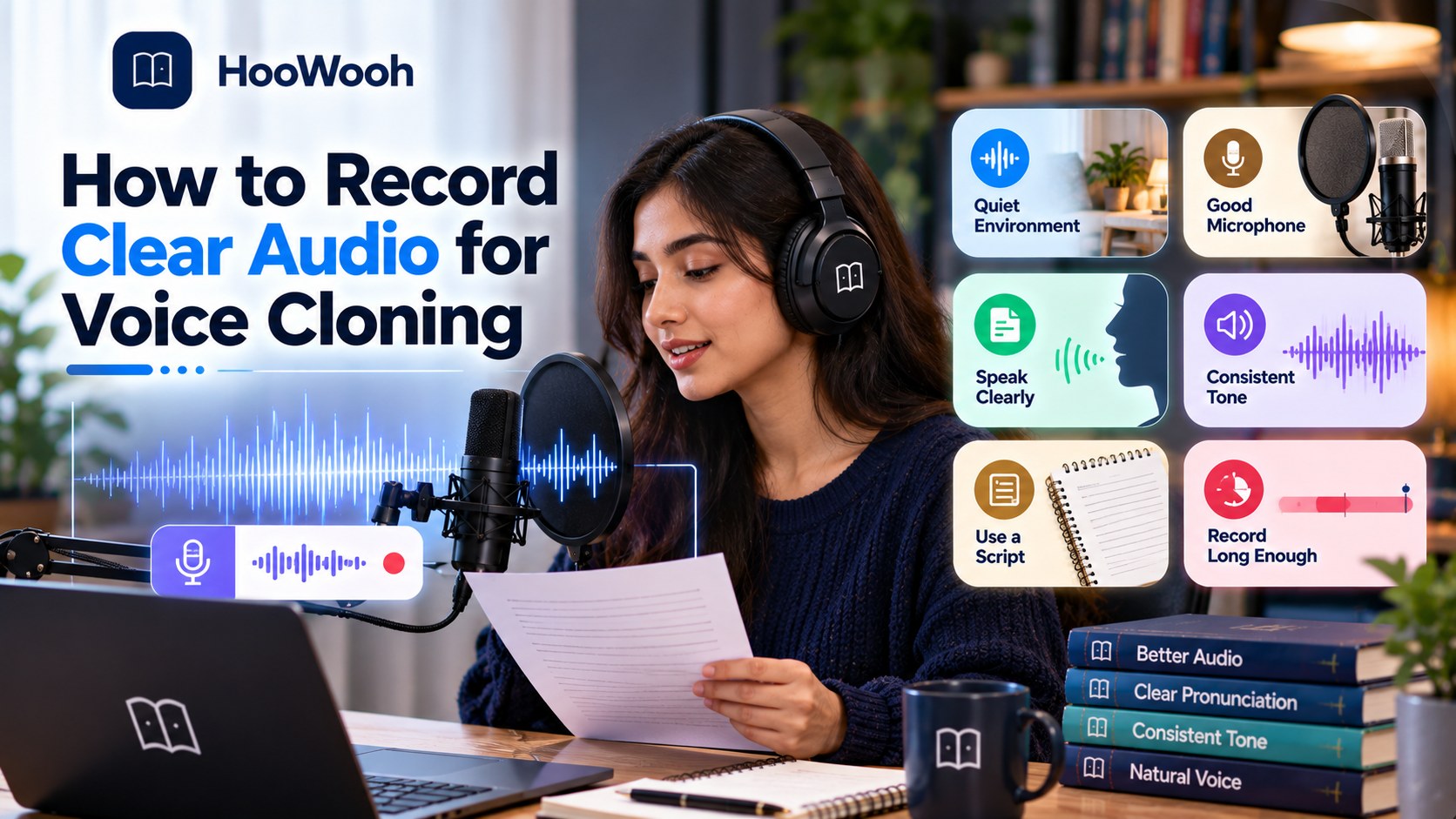
How to Record Clear Audio for Voice Cloning in 2026 starts with giving the AI a voice sample it can understand clearly. You do not need a perfect studio. You need steady speech, a quiet room, sensible microphone placement, and consistent reference audio. Good recording choices can make the final voice clone sound far more natural.
Why Recording Quality Matters for Voice Cloning
A voice cloning system learns from the sound you provide. If the source contains strong room echo, traffic, music, another speaker, or distorted words, those problems can make it harder for the system to capture the intended voice. Clean audio gives the model a clearer example of tone, pronunciation, rhythm, and vocal character.
Recording quality does not mean making your voice sound polished or artificial. In fact, a natural recording is often more useful than one that has been heavily processed. The goal is to capture the speaker clearly, not to make the file sound like a finished radio advert.
For Hoowooh users preparing AI narration, this matters even more for long-form listening. A small problem in a short test may become tiring when the same voice is heard across a chapter or full audiobook.
What Makes a Good Voice Cloning Recording?
A useful voice cloning recording is clear, consistent, and representative of the voice you actually want to reproduce. The speaker should be easy to hear from start to finish, with no sudden changes in distance or volume.
Try to keep the room, microphone, speaking style, and recording level stable. If one clip is warm and close while another sounds distant and echoey, the reference set becomes less consistent.
Natural speech is also important. Speak clearly, but do not stretch every word or force a dramatic narrator voice unless that is the style you want the voice clone to represent.
How Much Audio Do You Need for Voice Cloning?
There is no single recording length that fits every voice cloning system. Some modern tools can work from a very short voice sample, while other workflows can benefit from more reference audio. The system, use case, language, and quality of the recording all matter.
The better question is not only 'How many minutes do I have?' It is 'How much clean, useful, consistent speech do I have?' A long file filled with noise and changing conditions is not automatically better than a shorter, well-recorded sample.
Can a Short Voice Sample Be Enough?
A short sample may be enough for a quick clone when the selected system is designed for short-reference cloning. In that case, every second matters. The sample should contain clear speech, no music, little room echo, and a normal speaking style.
Short samples are convenient, but they give the system fewer examples of the speaker's pronunciation and delivery. Test the result before assuming a brief recording is suitable for a long project.
When Longer Reference Audio Helps
Longer reference audio can provide more examples of vowels, consonants, sentence shapes, pauses, and natural variation. It can be especially useful when a workflow is designed to learn from a larger voice dataset.
More material should still be consistent. Adding extra minutes from old calls, noisy videos, distant microphones, and mixed accents can introduce variation that you did not intend.
Why Quality Matters More Than Raw Recording Length
Think of every recording as evidence of how the voice should sound. Clear evidence is useful. Conflicting evidence is harder to interpret. Record enough material for the chosen system, but focus first on clarity, voice consistency, and representative delivery.
Can You Record Voice Cloning Audio With a Phone?
Yes, a phone can be a practical way to record a voice sample, especially for beginners. A modern phone microphone can capture clear speech when the room is quiet and the device is placed sensibly.
The room often matters more than people expect. A phone used in a furnished, quiet room can produce more useful reference audio than an expensive microphone placed in a large echoing space.
Keep the phone still, avoid touching it while speaking, and turn off sounds or notifications that may interrupt the recording.
When a Phone Is Enough
A phone can be enough for testing a voice cloning workflow, creating a personal sample, or recording when dedicated equipment is not available. Listen back through headphones before uploading anything. If your words are clear and the room is not distracting, the recording may already be useful.
When an External Microphone Helps
An external microphone can provide more control over recording level, placement, and consistency. It can be useful for repeated audiobook narration work or when you plan to create a larger reference set.
However, buying a better microphone does not fix a noisy room. Improve the environment and technique first, then upgrade equipment if the project needs it.
How to Choose a Quiet Room for Voice Cloning
Choose a room where the voice is the main sound. Listen before you record. Air conditioners, ceiling fans, road traffic, computer fans, televisions, people talking, and open windows can all become part of the recording.
Soft furnishings can help reduce harsh reflections. Curtains, carpets, bedding, sofas, and filled bookshelves can make a room sound less hollow. You do not need to cover every wall; you simply want to avoid a strong, obvious echo.
Record a short test and listen through headphones. If you notice a hum or room sound that you ignored while speaking, the microphone may have captured it more clearly than you expected.
How Far Should You Be From the Microphone?
There is no universal distance for every microphone. What matters most is staying at a sensible and consistent position. Moving closer and farther away can change volume, bass, room sound, and clarity during the same voice cloning recording.
Avoid speaking directly into the microphone if that creates harsh bursts on sounds such as P and B. A slight angle can help in some setups. Keep the device stable and avoid tapping the desk, moving the stand, or handling the phone while recording.
Watch the recording level as well. Your loudest words should remain clear instead of breaking into distortion.
Should You Speak Naturally When Recording a Voice Clone?
Yes. If you want the voice clone to sound like your everyday voice, use natural speech. Keep a comfortable speaking pace and normal cadence. Clear does not mean robotic.
Do not suddenly speak much deeper, slower, or more formally just because a microphone is in front of you. A forced performance gives the system a less representative example of your normal delivery.
For audiobook narration, you can use a slightly more controlled reading style, but it should still sound comfortable enough to maintain across long passages.
Should You Read a Script or Speak Freely?
Both can work. A script makes it easier to cover useful sounds and repeat a recording if something goes wrong. Free speech can capture natural timing and conversational rhythm.
For a planned voice dataset, a simple script is usually easier to manage. Write sentences that feel natural to say. Include different sentence lengths instead of repeating the same short pattern.
You can also combine a prepared reading with a small amount of natural speech when the selected cloning workflow supports multiple samples.
What Should You Say in a Voice Cloning Recording?
The best script represents how you really speak. Use ordinary vocabulary, clear sentence structures, and a mix of statements and questions. Include names, numbers, and longer phrases only when you can pronounce them comfortably.
Do not fill the sample with tongue twisters or strange words just to make it seem advanced. A voice cloning system benefits from understandable speech more than a performance that makes the speaker tense.
If the voice will be used for audiobook narration, include sentences with commas, questions, dialogue-like phrasing, and longer descriptive lines. This gives you a better test of how the voice handles different sentence shapes.
Should You Record Different Emotions?
Some variation can be useful, but it should match the goal. If you want a calm narrator, a reference set that jumps from whispering to shouting may not represent the target voice well.
Start with a stable core voice. Then, if the system and project benefit from expressive reference material, add controlled examples rather than random extremes.
Voice Identity
Voice identity is the recognisable character of the speaker: the qualities that make one voice sound different from another. Clear reference audio helps preserve that identity without unnecessary interference from the room.
Prosody and Delivery
Prosody includes rhythm, stress, intonation, and the rise and fall of speech. Two recordings can have the same speaker but very different delivery. That is why a voice can sound recognisably like you while still feeling flat or unfamiliar.
Emotional Range
Emotional range should be intentional. For long-form AI narration, moderate and natural expression is often easier to listen to than constant dramatic intensity. Record the style that suits the content you plan to create.
Should You Record One Long Voice Sample or Several Short Clips?
Several manageable clips can make quality control easier. If a chair squeaks, a phone rings, or you misread one sentence, you can replace that clip without repeating a long session.
Shorter files also make it easier to compare volume, room sound, and delivery. However, the final format should follow the requirements of the voice cloning system you use. Some tools may ask for one file, while others can work with multiple references.
If you record several clips, keep the setup unchanged. The same microphone, room, distance, and speaking style help maintain voice consistency.
Best Audio Settings for Voice Cloning
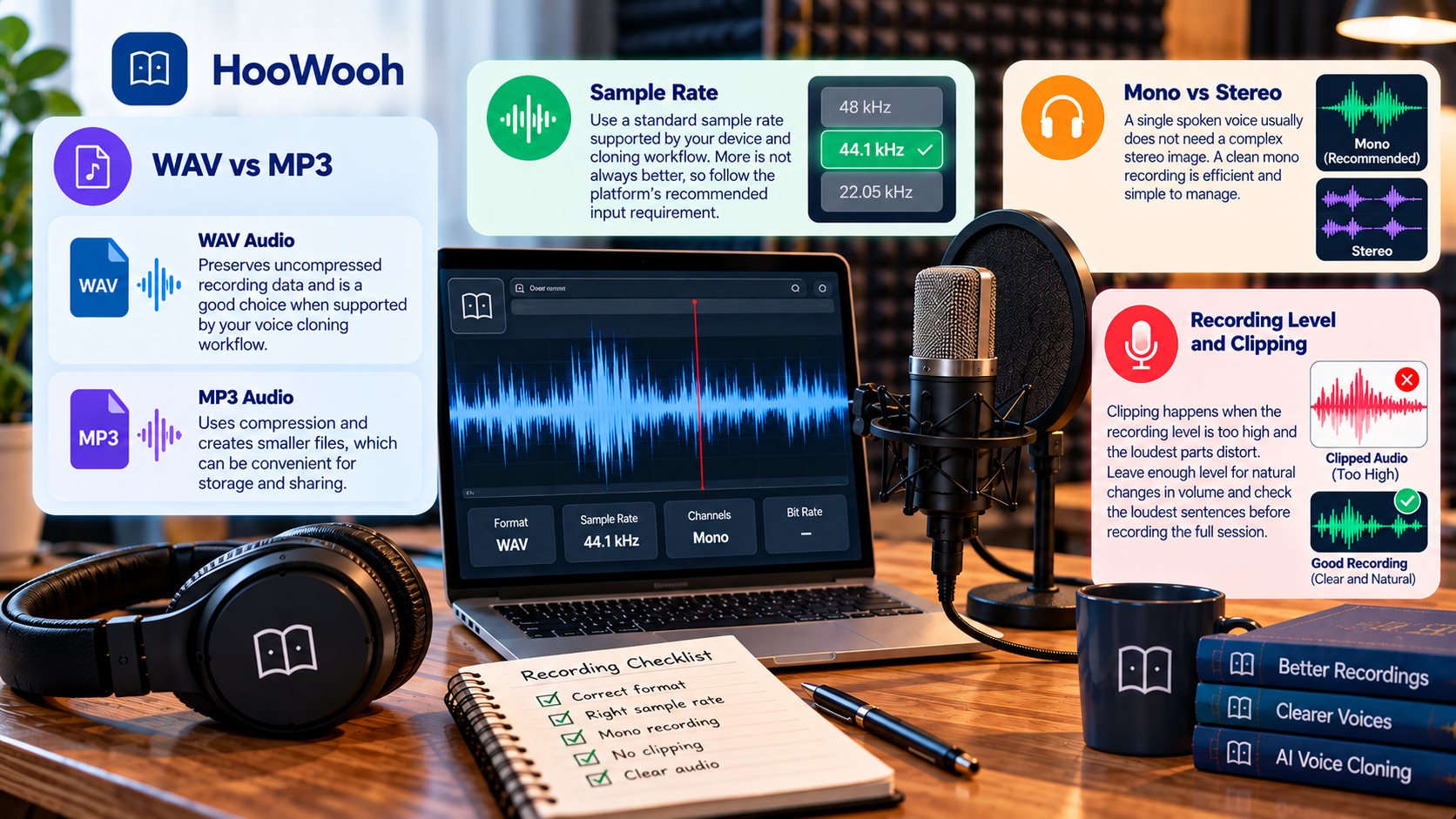
Technical settings matter, but they should not distract you from the basics. A clean recording with sensible settings is more useful than a technically impressive file filled with echo or clipping.
Use a format and sample rate supported by your chosen workflow. Avoid repeatedly converting the file between formats because unnecessary processing can reduce quality.
WAV vs MP3
WAV audio can preserve uncompressed recording data and is a useful choice when the voice cloning workflow accepts it. MP3 audio uses compression and creates smaller files, which can be convenient for storage and sharing.
Do not convert a clean WAV file to MP3 simply because you think AI requires it. Likewise, do not convert an existing MP3 to WAV and expect lost detail to return. Follow the input requirements of the system.
Sample Rate
Use a standard sample rate supported by your recording device and cloning workflow. More is not always better. If a platform specifies an input requirement, follow that requirement rather than repeatedly resampling the file.
Mono vs Stereo
A single spoken voice does not normally need a complex stereo image. A clean mono voice recording can be efficient and simple to manage. Again, use the format expected by the system rather than changing channels without a reason.
Recording Level and Clipping
Clipping happens when the recording level is too high and the loudest parts distort. Once speech is badly clipped, important sound detail can be lost. Leave enough level for natural changes in volume and check the loudest sentences before recording the full session.
Should You Remove Background Noise Before Voice Cloning?
Light audio cleanup can help when a recording contains a small, steady problem, but aggressive noise reduction can change the voice itself. The safest approach is to record clean audio at the source.
If you need heavy processing to make the words understandable, consider recording the sample again. Re-recording a few minutes in a quieter room can be faster and more reliable than trying to repair a poor source.
After any noise reduction, compare the cleaned file with the original. Listen for metallic tones, missing consonants, watery sounds, or an unnatural texture.
How to Reduce Echo and Reverb
Reverb is the sound of the room continuing around the voice after words are spoken. Large empty rooms, hard floors, glass, and bare walls can make it more obvious.
Move to a smaller or more furnished room when possible. Keep a sensible microphone distance so the direct voice is stronger than the reflected room sound. Soft materials nearby can also reduce reflections.
Do not try to remove all natural room character. The goal is clear speech without a distracting tail after every phrase.
Should You Remove Breaths and Silences?
Normal breaths and short pauses are part of natural speech. Removing every breath can make a recording feel unnatural and create abrupt edits.
Long accidental silences, interruptions, mistakes, or unrelated sounds can be trimmed when needed. Keep edits smooth and avoid cutting into the beginning or end of words.
For a reference sample, simple clean editing is usually enough. Save detailed production work for the finished narration rather than over-processing the source voice.
Why Does My Voice Clone Sound Robotic?
A robotic result does not always mean the microphone was bad. It can come from limited reference material, unnatural delivery, inconsistent recordings, model behaviour, or text that is difficult to speak naturally.
Start troubleshooting with the source. Listen to the voice sample without any effects. Does it sound relaxed, clear, and consistent? If not, record a fresh sample before changing many technical settings.
Then test a simple sentence. A short controlled test makes it easier to separate a recording problem from a generation problem.
Why Does a Voice Clone Change Accent?
Accent changes can appear when the reference material is inconsistent or when the model responds differently to language, spelling, and context. Mixed recordings may make the target less clear.
If you want accent consistency, use reference audio that represents the same accent and general speaking style. Avoid mixing clips in which the speaker intentionally changes accent unless that variation is part of the project.
Pronunciation can also change with unfamiliar names or another language. Review those cases separately instead of assuming every variation comes from the original recording.
Can You Use Old Recordings for Voice Cloning?
Old recordings can sometimes provide useful reference audio, but inspect them carefully. A clean interview or personal recording may work better than a new clip recorded in a noisy place, yet older files often include music, compression, room noise, or other speakers.
Do not use a recording simply because it is long. Choose sections where the target speaker is clear and isolated. Also make sure you have the right to use the recording and the voice for cloning.
Can You Mix Recordings From Different Microphones?
You can encounter workflows that accept recordings from different sources, but consistency is easier to manage when the core reference set has a similar sound. Different microphones and rooms can change tone, noise, and distance.
If you must combine sources, listen for major differences before adding them. A larger voice dataset is not automatically stronger when every clip sounds like it came from a different environment.
For a new project, recording one clean session with a stable setup is often the simplest starting point.
What Should You Avoid in a Voice Cloning Recording?
Avoid problems that compete with the speaker or make the reference set inconsistent. A simple recording is usually easier for both the creator and the voice cloning system to work with.
- Background music, television, traffic, or another speaker behind the target voice.
- Strong room echo, obvious reverb, or a microphone placed too far from the speaker.
- Clipping, sudden volume jumps, desk bumps, cable noise, or handling sounds.
- Forced accents, exaggerated delivery, or a speaking style that does not match the intended voice.
- Heavy audio cleanup that makes speech sound metallic, thin, or unnatural.
How to Record Voice Samples for AI Audiobook Narration
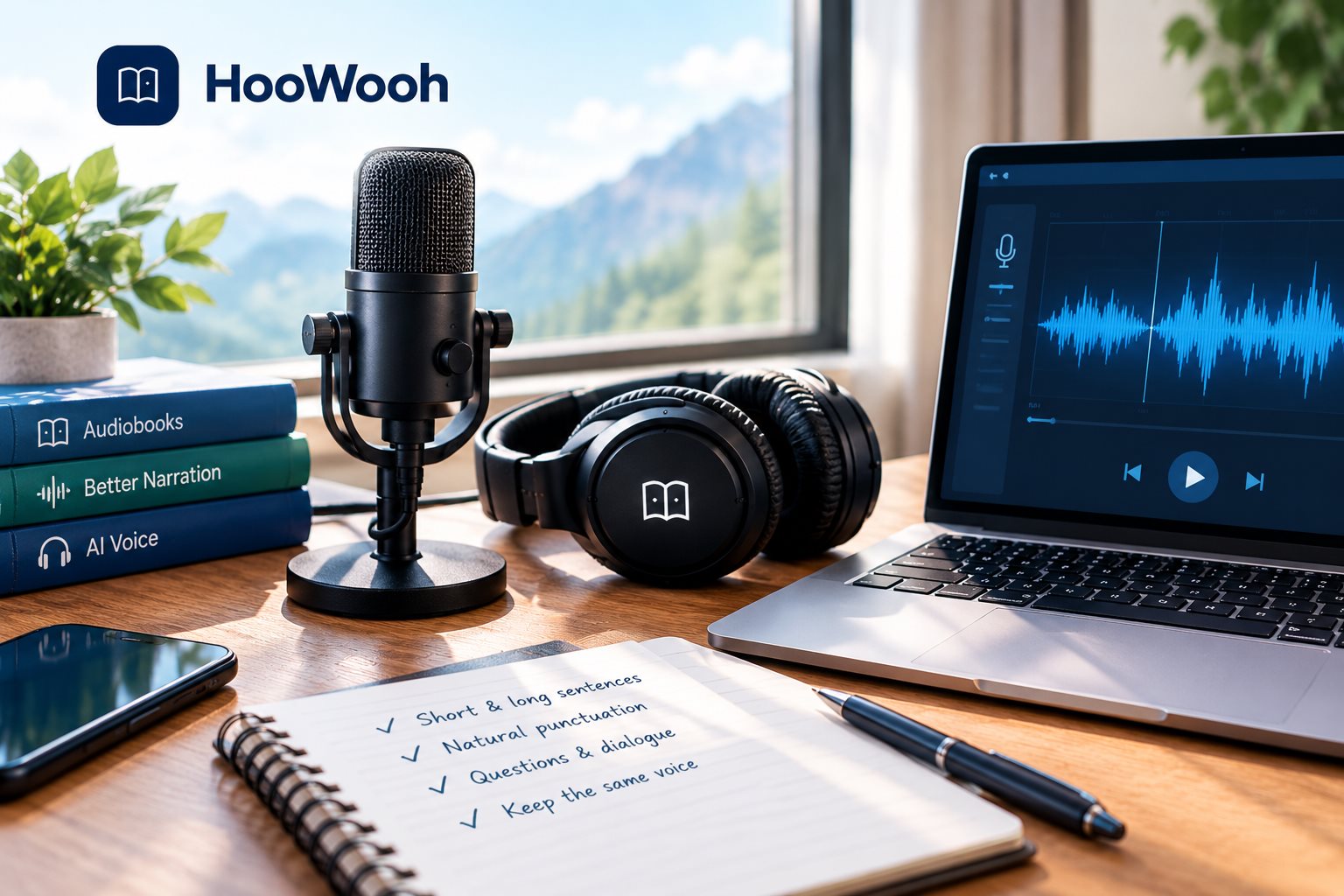
Audiobook narration places more pressure on voice consistency because listeners may hear the same voice for hours. Record a reference style that is comfortable, clear, and sustainable rather than impressive for only one sentence.
Use a script with both short and long sentences. Add natural punctuation, questions, and a small amount of dialogue-style phrasing. This helps you judge whether the resulting AI narration remains clear across different kinds of text.
Keep the core narrator voice stable. Character voices and dramatic performance can be tested separately. A clean narrator reference gives you a stronger base for long-form audio.
Hoowooh's voice and audiobook workflows are most useful when the source is prepared carefully. Good reference audio supports a smoother path from written content to listenable narration.
How to Check Your Recording Before Uploading It
Do not judge the recording only from the waveform. Put on headphones and listen from beginning to end. You are checking for anything that makes the speaker harder to understand or changes the sound unexpectedly.
- Confirm that every word is clear and that the speaker stays at a consistent level.
- Listen for fans, traffic, hum, room echo, clicks, and sounds from other people.
- Check the loudest words for clipping or harsh distortion.
- Make sure the speaking pace, accent, and overall delivery match the voice you want to clone.
- Save an untouched copy before applying noise reduction or other audio cleanup.
How to Record Your Voice Safely for AI Cloning
Only clone your own voice or a voice you have clear permission to use. Voice consent matters because a realistic clone can represent a real person's identity in audio.
Before uploading reference audio, understand how the selected service handles stored recordings, generated voices, account access, and deletion options. Do not assume every voice cloning workflow treats uploaded audio in the same way.
For shared or professional projects, keep permission clear about the intended use. Permission for one audiobook or test does not automatically mean permission for every future use.
Simple Voice Cloning Recording Workflow
A repeatable workflow helps you avoid recording the same material several times. Prepare the room and script first, then make a short test before the full session.
- Choose a quiet, furnished room and stop avoidable background noise.
- Place the microphone or phone securely and record a short level test.
- Read in natural speech with a steady speaking pace and consistent accent.
- Listen back through headphones and re-record any noisy, clipped, or awkward sections.
- Keep the clean original, make only necessary edits, and upload the format required by the chosen voice cloning workflow.
Frequently asked questions
How Long Should a Voice Cloning Recording Be? There is no universal length. Some systems can work with a short voice sample, while others can benefit from longer reference audio. Follow the requirements of the selected tool and prioritise clear, consistent speech over simply adding more minutes.
Can I Use My Phone to Record Audio for Voice Cloning? Yes. A phone can record useful reference audio when the room is quiet, the device is stable, and the speaker is clear. Test the recording through headphones before using it for AI voice cloning.
Should I Use WAV or MP3 for Voice Cloning? Use the format supported by the selected workflow. WAV audio can preserve uncompressed source quality, while MP3 audio creates smaller files. Avoid unnecessary conversions and keep a clean original copy.
Does Background Noise Affect Voice Cloning? Yes. Strong background noise can compete with the target voice and reduce the clarity of the reference. It is usually better to record again in a quieter environment than to depend on heavy noise reduction later.
Should I Record One Long Sample or Several Short Clips? Several shorter clips can make mistakes easier to replace and quality easier to check, but the final input should follow the requirements of the voice cloning system. Keep the recording setup consistent across every clip.
Record the Voice You Actually Want the AI to Learn
How to Record Clear Audio for Voice Cloning in 2026 is less about buying expensive equipment and more about giving the system a clear, consistent example. Choose a quiet room, keep the microphone steady, use natural speech, avoid clipping and heavy processing, and check every voice sample before upload.
For audiobook narration and other long-form audio, consistency matters even more. Hoowooh can help you build voice-based audio workflows around well-prepared source material. Start with clean reference audio, use only voices you have permission to clone, and test the result before expanding to a full project.