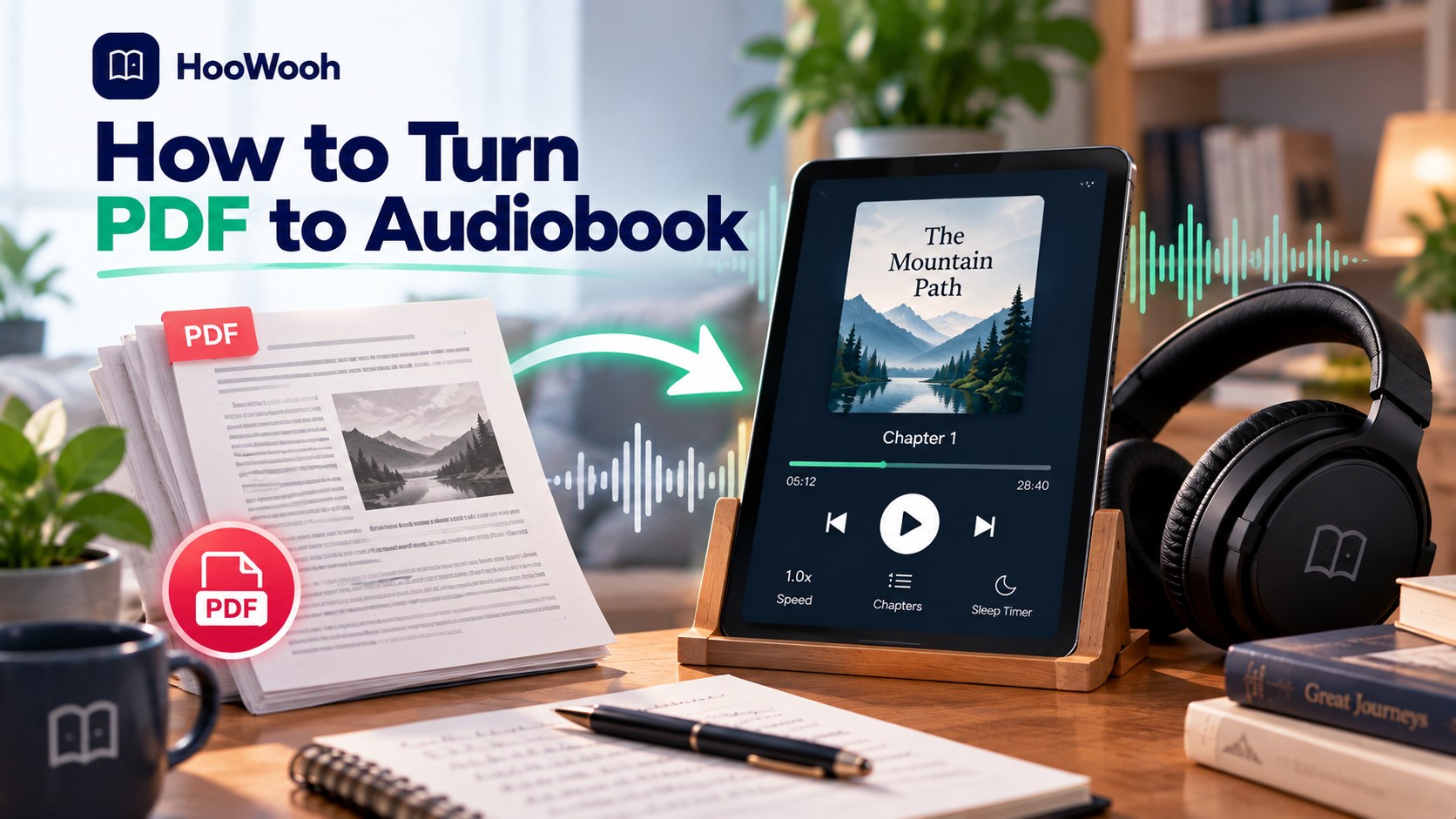
You can turn PDF to audiobook by uploading a text-based PDF, selecting an AI voice, reviewing chapter breaks, and generating audio. For scanned pages, run optical character recognition before narration. The fastest route gives you playable audio in minutes.
The query how to turn pdf to audiobook has 2 useful answers. You may need immediate read-aloud playback. You may also need a downloadable MP3 for commutes, flights, workouts, and study sessions.
What do you need before you turn a PDF into audio?
You need a PDF you own or have permission to convert, readable text, and a listening goal. A clean digital PDF produces better narration than a photographed scan with shadows, page curves, or faint print.
How do you identify a text PDF?
To identify a text PDF, open the file and drag your cursor across 1 complete sentence. Selectable words show that the PDF contains extractable text. Text extraction supports cleaner chapter detection and fewer spoken errors.
How do you identify a scanned PDF?
To identify a scanned PDF, try selecting 1 sentence. No selectable words means the PDF contains page images. Optical character recognition, called OCR, converts page images into editable text before text-to-speech starts.
Which documents work best for audio?
To choose a document, start with novels, reports, essays, study notes, and manuscripts. Avoid complex tables, charts, mathematical equations, and multi-column layouts unless you review the extracted reading order first.
How to turn PDF to audiobook with Hoowooh
To turn PDF to audiobook with Hoowooh, upload your PDF or scan printed pages, choose a narration style and voice, then generate downloadable audio. Hoowooh supports PDF, EPUB, and TXT inputs for personal listening.
How do you upload and review the PDF?
To upload a PDF, add the file from your device and inspect extracted text before generation. Remove title pages, repeated page numbers, headers, footers, citations, and navigation text that distract from spoken narration.
A fixed-layout PDF carries visual material that audio does not need. Delete running heads, decorative labels, image credits, and duplicated footnotes. Keep section titles that help listeners understand the order.
How do you select narration style and voice?
To select a voice, preview the same 2 paragraphs in 3 voices. Choose Cinematic for fiction, Explainer for textbooks, Dialogue for character-heavy stories, or Simple for neutral documents.
Test names, dialogue, unfamiliar terms, and punctuation in your sample. A calm voice suits a research paper. An expressive voice suits a mystery novel. A bright voice suits a children’s story.
Readers converting a mixed-format library benefit from the Hoowooh ebook audiobook guide, which explains PDF, EPUB, and TXT file choices.
How do you generate audio for offline listening?
To generate audio, confirm chapter order and start the conversion. Download the MP3 after processing finishes. An offline file helps you listen in planes, underground trains, remote areas, and low-signal buildings.
How to turn pdf to audiobook becomes simpler when you choose the listening endpoint first. A live player fits a one-time report. A permanent file fits a long book that you plan to revisit.
How to turn PDF to audiobook with a free read-aloud tool
To turn PDF to audiobook for a quick preview, open the PDF in a reader with text-to-speech controls and press Read Aloud. Microsoft Edge provides a common free option for text PDFs on Windows and Mac computers.
When should you use live read aloud?
To use live read aloud, choose short reports, research papers, and class handouts. Live playback suits documents you need once. Live playback rarely creates a downloadable audio file or polished chapter structure.
Free read-aloud tools help when speed matters more than production quality. You can change playback speed and voices in many readers. You cannot always remove repeated headers or save a chaptered audiobook.
When should you create an audio file?
To create an audio file, choose an AI audiobook tool when you need portable listening, voice selection, chapter review, or repeat playback. Downloaded MP3 files also work with standard music and podcast players.
A permanent audiobook needs more checking than live playback. Review the first chapter for reading order, volume, pauses, pronunciations, and unwanted text. Correcting 1 chapter saves time across the full file.
How to prepare a scanned PDF for audio
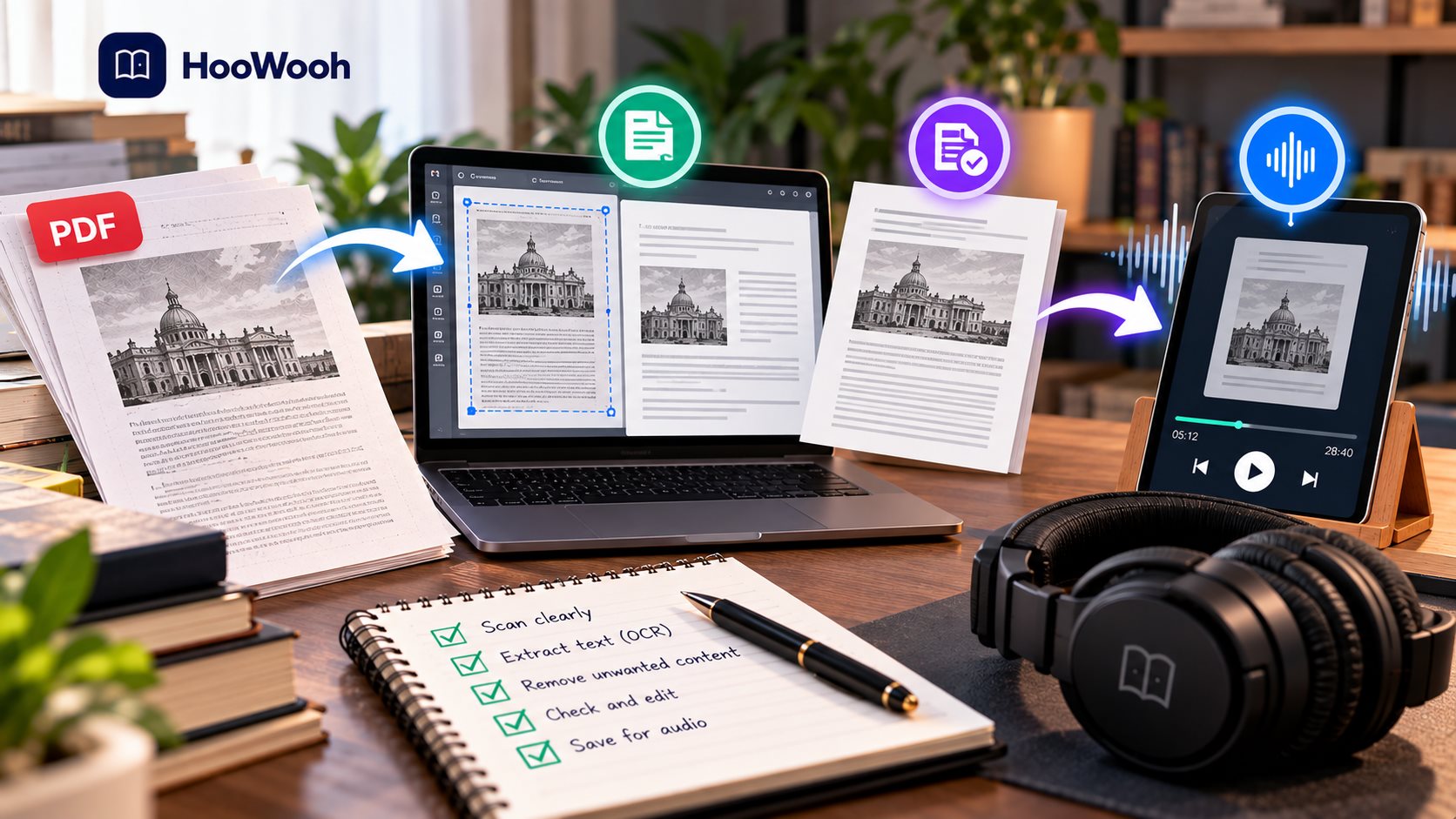
To turn PDF to audiobook from scanned pages, capture or upload clean pages, run OCR, correct recognition errors, and then generate narration. Clean source pages create cleaner spoken audio.
How do you capture readable page images?
To capture readable pages, place the book under bright, even light. Keep the page flat. Hold the camera parallel to the paper. Capture 1 or 2 pages per image for clear focus.
A 6-inch (15 cm) phone stand reduces motion. A 5-foot (1.5 m) window distance reduces harsh direct sunlight. A bright desk lamp works when daylight is unavailable.
Avoid fingers across margins, glossy-page reflections, handwritten notes, and curved binding edges. Those flaws reduce OCR accuracy. OCR accuracy controls whether a narrator says the intended words.
How do you review OCR text?
To review OCR text, search for names, technical terms, hyphenated words, page numbers, and chapter headings. Correct obvious errors before audio generation. OCR often misreads stylized fonts, narrow columns, and faded ink.
Look for broken sentences at page bottoms. Look for columns read from left to right instead of top to bottom. Look for tables that turn into unrelated strings. Delete content that offers no value by ear.
For paper books and image-based study materials, use the Hoowooh printed book guide for a camera-to-audio workflow.
Which PDF audiobook method fits your goal?
Choose a method based on listening length, output needs, and source quality. A 10-page report needs less preparation than a 300-page textbook or a dialogue-heavy novel.
| Task | Typical timing | Method | Difficulty |
|---|---|---|---|
| Preview a report | 2-5 minutes | Reader read aloud | Easy |
| Listen to clean chapters | 10-30 minutes | AI PDF narrator | Easy |
| Convert scanned pages | 20-60 minutes | OCR plus AI narration | Moderate |
| Produce a long audiobook | 1-3 hours | Chapter review and MP3 export | Moderate |
A reader tool works well for a short document. An AI narrator works well for retained audio. OCR comes first for a scan. Chapter review matters most for books, manuals, and learning materials.
Which output format should you choose?
To choose an output format, select MP3 for easy playback and small files. Select WAV for audio editing. Select M4B when your tool creates chapter-aware audiobook files with bookmarks and cover art.
When should you choose MP3?
To choose MP3, use the format for phones, car stereos, laptops, and offline listening. MP3 files balance storage space and audio quality. Separate chapter files make it easy to restart after a break.
MP3 helps listeners transfer audio between devices. A 1-hour narration needs far less storage as an MP3 than as a WAV. Name files with chapter numbers, such as 01, 02, and 03.
When should you choose WAV or M4B?
To choose WAV, pick the format before detailed editing because WAV preserves more audio data. To choose M4B, pick a chapter-aware player experience for long books and organized playback.
WAV supports audio editors that adjust noise, loudness, music, or timing. M4B files support audiobook players that remember your position. Check player support before you choose M4B.
How do you make AI narration sound natural?
To make a PDF audiobook sound natural, test a difficult passage before generating every chapter. Test dialogue, unusual names, abbreviations, technical language, punctuation, and emotional scenes in the same sample.
How do you choose the right speaking speed?
To choose speaking speed, start at a normal pace and increase gradually. Use a slower pace for equations, legal wording, research findings, and unfamiliar terminology. Use a quicker pace for familiar notes and repeated sections.
Listening speed changes comprehension. A speed that feels good for fiction can feel rushed for an exam guide. Test a 3-minute segment while walking, driving, or doing routine work.
How do you prevent pronunciation errors?
To prevent pronunciation errors, add phonetic guidance for names, places, acronyms, and invented words. Listen to 1 full chapter before processing 20 more chapters. Early checks reduce repeated corrections.
Write pronunciations in the form that your selected voice reads correctly. Check people’s names, local place names, scientific terms, and product names. Build a short pronunciation list before long generation.
How do you match a voice to the content?
To match a voice to content, choose clear and measured narration for non-fiction. Choose warm and expressive narration for fiction. Choose a calm, low voice for sleep listening and a bright voice for children’s stories.
Compare warm, deep, clear, and dramatic narration before you convert a full book.
How to turn pdf to audiobook works better when the voice fits the use case. A student needs clarity. A parent needs a comforting bedtime voice. An author needs a voice that exposes awkward prose.
What copyright rules apply to PDF audiobooks?
You need rights to distribute or sell an audio version. You can generally create personal listening copies from PDFs you own, subject to local law and the file’s license terms.
Can you convert a purchased ebook?
Yes, you can convert a purchased ebook for private listening when the license and local law allow personal-format conversion. You cannot assume that purchase grants rights to upload, share, sell, or publish the audio.
Check the publisher terms when you download a file. Copyright rules differ by country. Public-domain books and your own manuscripts create the clearest path for a shareable audio edition.
Can you publish an audiobook from any PDF?
No, access to a PDF does not grant audiobook rights. Publish audio only for your original work, public-domain content, or material with written permission from the copyright owner.
Audiobook rights include the right to create a derivative audio performance. A book’s print rights and ebook rights do not automatically include audio rights. Ask the rights holder before release.
Can you clone another person’s voice?
No, you should not clone another person’s voice without clear consent. Use a private custom voice only with the speaker’s permission. Written consent protects both the speaker and the publisher.
Hoowooh treats custom voices as private by default. A consent-based voice can create meaningful family stories, children’s bedtime books, and personal archives. Consent remains necessary for every voice source.
How do you fix common PDF audiobook problems?
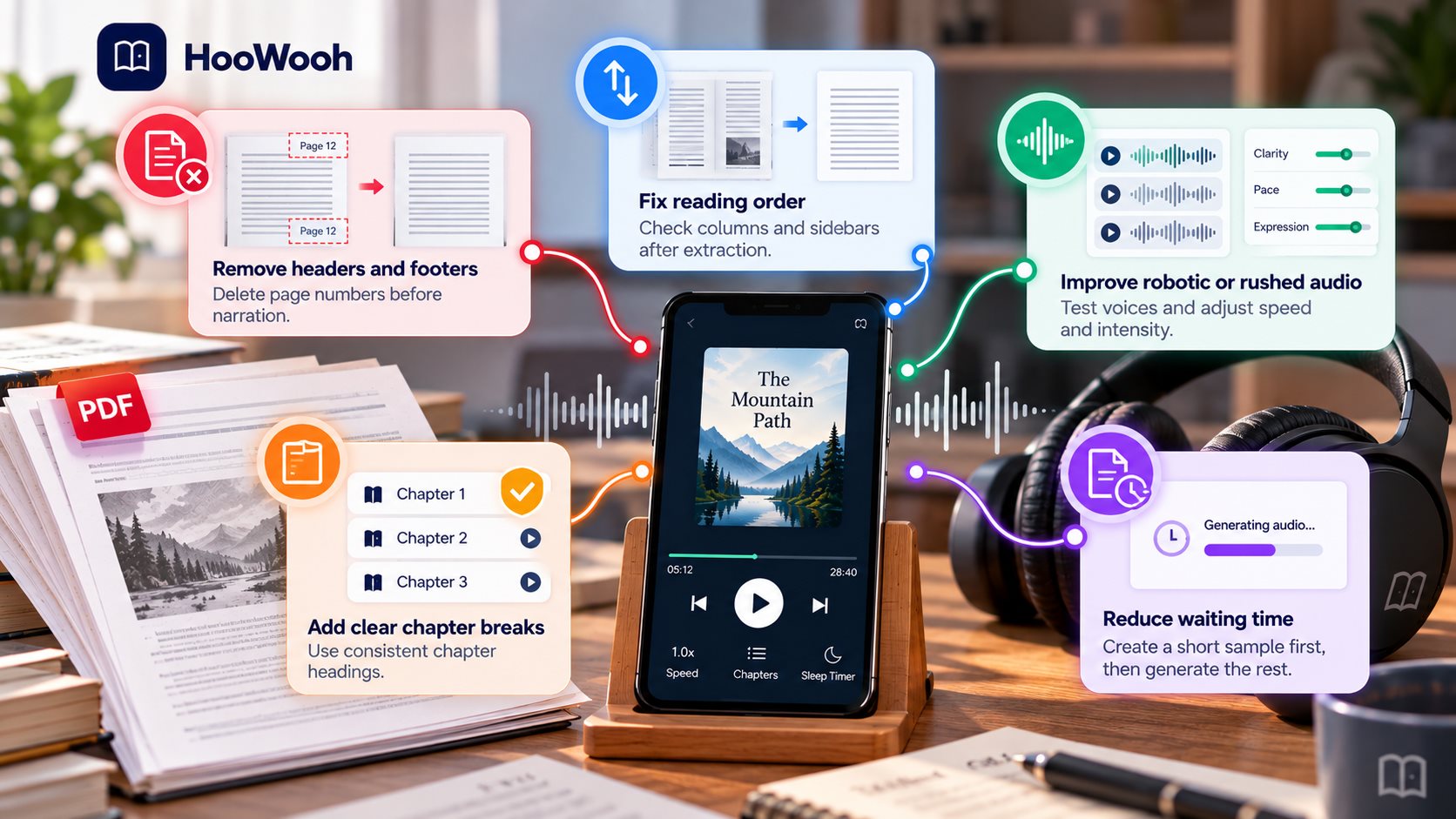
To fix repeated page numbers, delete the header and footer text before you start narration. Repeated page numbers interrupt every chapter. A clean extracted manuscript gives the listener a more natural experience.
Why does the narrator read the wrong order?
To fix wrong reading order, check each column and sidebar after text extraction. PDFs store page position, not always a logical reading sequence. Copy text into a clean document when the reader jumps between columns.
How to turn pdf to audiobook gets easier after you test 2 pages from the most complex section. A clean novel needs less review than a technical manual. Tables and sidebars need the most careful review.
Why does the audio sound robotic or rushed?
To fix robotic audio, test 3 voice samples and lower the narration intensity. Choose a clear voice for reports and a more expressive voice for stories. Break extremely long sentences into shorter sentences when pauses sound unnatural.
How to turn pdf to audiobook requires a voice test before full generation. Listen through headphones and a phone speaker. The 2 listening environments expose different problems with pacing and clarity.
Why are chapter breaks missing?
To fix missing chapter breaks, label each chapter with a consistent heading before generation. Use titles such as Chapter 1, Chapter 2, and Chapter 3. Clear headings help tools organize files and help listeners navigate audio.
How to turn pdf to audiobook benefits from chapter labels even when you only need an MP3. Chapter labels help you regenerate a single section without rebuilding the full book. Chapter labels also simplify future edits.
Why does the file take too long to create?
To reduce waiting time, create a 5-minute sample first. Approve the voice, pronunciation, and reading speed. Then generate longer chapters. A staged process protects you from spending hours on a voice you dislike.
How to turn pdf to audiobook works fastest when you remove unwanted content first. Shorter clean text uses fewer processing minutes. Focus on the chapters you want to hear now, then process the rest later.
FAQs
Can you turn a PDF into an audiobook for free?
Yes. You can use a browser or device read-aloud feature for live listening. Free tools often limit voice options, audio downloads, chapter controls, or scan handling.
Can you turn a scanned PDF into an audiobook?
Yes. OCR converts scanned page images into text before text-to-speech generates narration. Clear pages with strong contrast create more accurate results.
Can you download a PDF audiobook as an MP3?
Yes. A dedicated PDF-to-audiobook tool can export an MP3 for offline listening. Reader-only tools usually play audio inside the app without an MP3 download.
Can AI give each character a different voice?
Yes. Multi-voice narration assigns separate voices to narrators and characters. Review speaker assignments in dialogue-heavy books because automated detection can make mistakes.
Can you listen to a PDF on a phone?
Yes. Upload the PDF through a mobile audiobook app, open the document in a read-aloud browser, or transfer an exported MP3 to your phone.
Start listening to your PDF today
How to turn PDF to audiobook starts with a clean file, a suitable voice, and a clear listening goal. Choose live read aloud for quick access. Choose downloadable AI narration for long-term listening.
Upload a PDF, choose your voice, and create audio you can take anywhere with Hoowooh.