Audio Reading Tools for Dyslexia 2026 - Practical Guide

Audio Reading Tools for Dyslexia 2026 can make books, PDFs, notes, and printed pages easier to access through listening. The most useful tools do more than produce a natural voice. They also give readers control over pace, navigation, highlighting, document handling, and offline access so audio can fit real study and reading routines.
What Are Audio Reading Tools for Dyslexia?
Audio reading tools turn written material into spoken audio or help readers combine listening with visible text. They can include text-to-speech readers, PDF to audio tools, OCR systems for printed pages, audiobook generators, and apps with synchronized highlighting.
For a reader with dyslexia, the value is flexibility. A difficult page can be heard instead of tackled only through visual reading. A long chapter can be played during a commute. A paragraph can be replayed at a slower speed. The original text can stay open for names, diagrams, formulas, or details that are easier to check visually.
How Can Audio Reading Support People With Dyslexia?
Audio can reduce the amount of effort needed to decode every line before the reader can focus on meaning. It can also give another route into long or dense material. That does not mean audio replaces reading skills or guarantees better reading comprehension. It is a support option that can be adjusted to the task.
The important point is control. Readers should be able to pause, replay, slow down, speed up, and return to the source whenever needed.
What Features Matter Most in Audio Reading Tools for Dyslexia?
A realistic voice can make long listening sessions more comfortable, but voice quality is only one part of a useful reading tool. For regular study or long-form reading, practical controls often matter just as much.
- Clear text-to-speech that handles ordinary sentences, names, punctuation, and longer passages naturally.
- Text highlighting or synchronized highlighting so the listener can follow the current sentence or word on screen.
- Adjustable playback speed for slowing down difficult material or moving faster through familiar sections.
- Chapter navigation, headings, seeking, and bookmarks for moving through long documents without losing a place.
- OCR for turning scanned pages and printed books into readable text before narration.
- Offline listening for travel, commutes, or places where an internet connection is unreliable.
- Simple controls that do not make the reader fight through menus before reaching the material.
Natural Text-to-Speech
Good TTS should be clear enough that the listener can focus on the content rather than the synthetic voice. For long material, consistency matters. Sudden changes in pronunciation, pace, or emphasis can interrupt concentration.
A more expressive voice can also help when the material contains dialogue or narrative passages. However, a dramatic voice is not always ideal for study notes. The voice should fit the type of material.
Highlighted Text
Highlighted text can give the reader a visual anchor while audio plays. Instead of searching the page to find the spoken sentence, the reader can see where the narration is. This may be useful when moving between listening and close reading.
Highlighting should be easy to follow and should not cover or distort the text. Readers who find moving highlights distracting should be able to rely on audio without them.
Adjustable Playback Speed
There is no perfect playback speed for every reader. Dense academic material may need a slower pace, while familiar or simple content may be comfortable at a faster setting. A useful tool makes speed changes easy and keeps the voice understandable after the adjustment.
Chapter Navigation and Bookmarks
Long-form audio becomes frustrating when the only choices are play, pause, and skip a few seconds. Readers need a way to move between chapters, headings, or saved points. Bookmarks are useful for definitions, revision points, quotations, and sections that need another listen.
Why Navigation Matters as Much as Voice Quality
Visual reading makes skimming easy. You can glance at headings, move past a familiar paragraph, return to a diagram, or find a term on the page. Audio removes some of those visual shortcuts unless the player replaces them with strong navigation.
For this reason, a beautiful voice does not automatically make a good audio reading tool. If a 70-page PDF becomes one long audio track with no useful structure, finding a specific section can take too much time.
Good navigation lets readers treat audio as usable study material rather than a passive recording. Chapters, headings, bookmarks, progress memory, and easy seeking help people move around the content with purpose.
How to Use Audio Reading Tools for Long PDFs
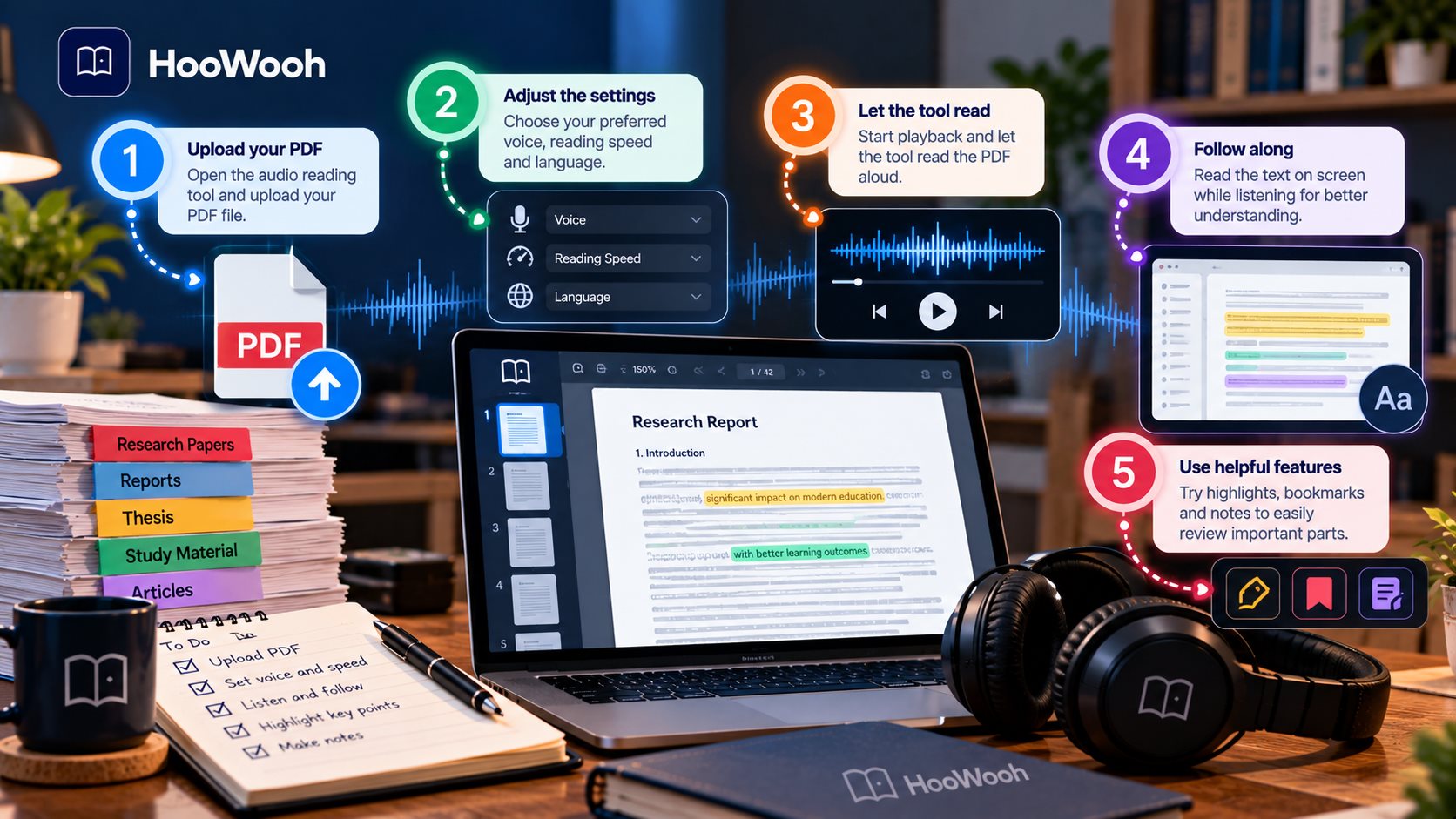
Long PDFs can contain headers, footers, page numbers, columns, references, tables, and side notes. A basic document-to-audio conversion may read all of these in an awkward order. Before converting an entire document, test several pages from the middle of the file.
Check whether headings are recognised and whether the reading order makes sense. Listen to a page with a table or figure. If the audio becomes confusing, keep the PDF open and use the spoken version mainly for the surrounding explanation.
How to Turn Textbooks Into Audio
Digital textbooks may already contain selectable text, which makes conversion simpler. A tool can process the text and create spoken audio. Printed textbooks need an extra step: the pages must be scanned and passed through optical character recognition before narration.
With Hoowooh, supported digital files can be uploaded, while printed material can be scanned with OCR before it is turned into audio. This creates a practical route from a physical or digital book to listening.
How Can You Listen to Printed Books and Scanned Pages?
OCR is the bridge between a photograph of a page and spoken narration. The system identifies characters in the image, converts them into machine-readable text, and then sends that text to the narration process.
Scan quality matters. Blurry text, curved pages, shadows, unusual fonts, damaged paper, or complex columns can create recognition errors. A clean scan in good light gives OCR a better starting point.
Always check important names, numbers, definitions, and technical terms against the original page. If OCR reads a word incorrectly, the narration will usually repeat that error because it is speaking the extracted text.
Should You Read and Listen at the Same Time?
Some readers like listening while following the words on screen. Others find that managing two streams of information at once is tiring. Both approaches are reasonable.
A simple test is to try the same short section in three ways: read it silently, listen without looking at the page, and listen while following the text. Then compare which method makes the main ideas easiest to recall.
Can Audio Reading Help With Reading Comprehension?
Audio can support comprehension by giving readers another way to access the words, but it does not guarantee that the material will be understood. Listening too quickly can create the same problem as rushing through a page.
Active review helps. Pause after a section and explain the main point in your own words. Replay a difficult sentence. Check unfamiliar terms in the original text. For study material, note key ideas instead of allowing the audio to run in the background.
The goal is not to finish the audio as fast as possible. The goal is to understand what was read.
How to Find the Right Listening Speed
Start at a pace that feels natural rather than choosing the fastest available setting. If you keep rewinding, the speed may be too high. If attention drifts because the narration feels slow, increase it slightly.
Can Audio Tools Help With Writing and Proofreading Too?
Read-aloud tools are useful after writing as well as before it. Hearing your own draft can reveal repeated words, missing phrases, awkward rhythm, and sentences that are harder to understand than they looked on screen.
This does not replace careful proofreading. Names, numbers, punctuation, and formatting still need visual checking, especially in academic or professional work.
Do Audio Reading Tools Work Offline?
Offline support can mean two different things. Some tools can generate speech without an internet connection. Others need the internet to create the audio but let you download the finished file for later listening.
Hoowooh supports downloading generated audiobooks as MP3 files for offline listening. That can be useful for commuting, flights, or studying where Wi-Fi is limited.
Free vs Paid Audio Reading Tools: What Are You Paying For?
A free tool can be enough for occasional short text. Paid plans become more relevant when someone needs frequent conversions, longer documents, more voice choices, faster processing, or extra features.
Instead of paying only for a more human-sounding voice, look at the complete workflow. A cheaper tool can become frustrating if it cannot handle the files you use, while an expensive tool may be unnecessary if you only need basic read-aloud support.
- Check which file types and scanned pages the tool can process.
- Compare conversion limits with the amount of material you actually read each month.
- Look for useful playback controls, navigation, bookmarks, and offline access.
- Test voice clarity with the kind of material you read most often.
- Review privacy options before uploading personal, academic, or unpublished documents.
What Should Students Look For?
Students often need more than a pleasant narrator. They may be moving between lecture notes, textbooks, PDFs, revision sheets, and scanned pages in the same week. A useful setup should handle those formats without creating a complicated process.
For visual material, audio should be paired with the source. Graphs, equations, tables, maps, and labelled diagrams still need direct inspection.
What Should Adults With Dyslexia Look For?
Adults may need audio reading for work documents, professional study, books, emails, reports, or everyday information. The best tool is one that fits those routines rather than one designed around a single type of content.
Start with the task that causes the most friction. If long PDFs are difficult, test PDF handling and navigation first. If printed books are the priority, focus on scanning and OCR. If listening happens during travel, offline access becomes more important.
How to Choose an Audio Reading Tool
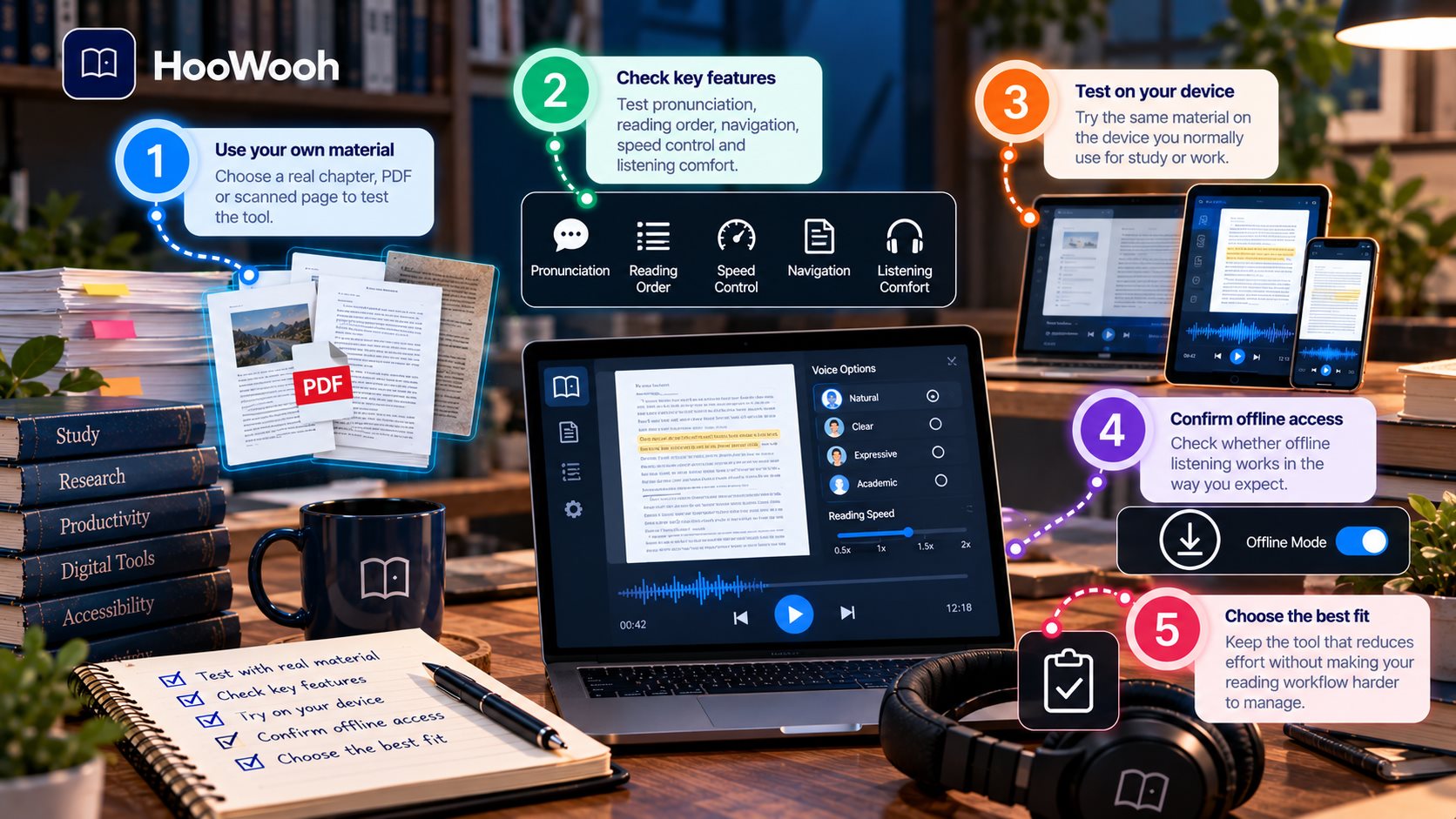
Choosing among audio reading tools is easier when you test them against your own material. Marketing samples often use clean text, but real documents can include poor scans, unusual layouts, names, tables, and specialist vocabulary.
- Choose one real chapter, PDF, or scanned page as your test material.
- Check pronunciation, reading order, navigation, speed control, and listening comfort.
- Try the same material on the device you normally use for study or work.
- Confirm whether offline listening works in the way you expect.
- Keep the tool that reduces effort without making the reading workflow harder to manage.
What Audio Reading Tools Cannot Do
Audio reading tools have limits. They can mispronounce names, read OCR errors aloud, misunderstand columns, or make tables sound confusing. They cannot guarantee that a listener remembers or understands a chapter.
They also do not replace every form of reading support. A person who needs structured help with decoding, spelling, or other literacy skills may need support beyond a TTS app. Audio is one access method, not a complete solution for every reading difficulty.
Privacy also matters. Before uploading sensitive documents or voice recordings, review how the service handles files and account data.
How Hoowooh Can Fit an Audio Reading Workflow
Hoowooh is built around turning books and documents into listenable audio. It supports EPUB, PDF, and TXT uploads, and printed pages can be scanned so OCR can convert them into text for narration.
Instead of relying only on flat text-to-speech, Hoowooh uses scenario-based narration that can adjust tone, pacing, and delivery. Users can choose from expressive voices, and generated audiobooks can be downloaded as MP3 files for offline listening.
For readers exploring Audio Reading Tools for Dyslexia 2026, these features can support a flexible workflow: upload or scan the material, choose a suitable voice and narration style, generate the audio, and listen where it fits the day.
To learn more about creating audio from supported books and documents, visit the Hoowooh resources below.
Frequently asked questions
Can text-to-speech help people with dyslexia? Text-to-speech can give a reader another way to access written material. It may be useful for long passages, study, proofreading, or everyday documents. The most helpful setup depends on the reader and the task, so test it with real material rather than assuming one method will suit everyone.
Can I turn a PDF or textbook into audio? Yes, when the text can be extracted or recognised. Digital PDFs may be processed directly, while printed textbooks or image-based pages usually need OCR first. Keep the original document available for tables, diagrams, formulas, and quality checks.
Should I read the text while listening to it? You can, but it is not required. Some readers prefer synchronized highlighting because it helps them keep their place. Others concentrate better with audio alone. Try both approaches with a short section and use the one that feels clearer.
What features should I look for in a dyslexia reading tool? Look beyond voice quality. Useful features can include clear TTS, adjustable playback speed, navigation, bookmarks, OCR, text highlighting, support for your file types, and offline listening. The best combination depends on how and where you read.
Can I listen to reading material offline? That depends on the tool. Some services generate audio online and then allow downloads. Hoowooh lets users download generated audiobooks as MP3 files for offline listening, which can be useful for commutes, travel, and low-connectivity situations.
Choose Audio Tools Around the Reader, Not the Feature List
Audio Reading Tools for Dyslexia 2026 are most useful when they reduce friction in a real reading routine. Natural narration matters, but so do navigation, playback speed, OCR, document handling, highlighting, and offline access. Test a short piece of your own material, keep the source available for visual details, and build a workflow around the controls that genuinely help you listen and understand.
Hoowooh offers a practical way to turn supported digital files and scanned printed pages into expressive audio. If listening makes books, study material, or long documents easier to fit into your day, start with one small conversion and judge the experience from there.