Best PDF to Audiobook Apps in 2026 - What to Look For
The Best PDF to Audiobook Apps in 2026 should do more than speak text. Look for accurate PDF parsing, clear AI narration, useful navigation, OCR for scanned pages, reliable handling of long files, and flexible listening options. The right choice depends on whether you read textbooks, reports, research papers, novels, or personal documents.
What Is a PDF to Audiobook App?
A PDF to audiobook app converts written content from a PDF into spoken audio. At its simplest, the tool extracts words and sends them to a text-to-speech system. Better workflows also recognise document structure, organise sections, and make the finished audio easier to navigate.
This matters because PDFs were designed for visual layout, not always for linear listening. A page may contain two columns, a header, a footer, a caption, a table, and body text. If the app extracts those pieces in the wrong order, even a realistic voice will produce confusing audio.
For this reason, the best PDF to audiobook apps in 2026 should be judged on both document handling and narration. Voice quality is only one part of the experience.
How Does a PDF Become an Audiobook?
The process usually begins with text extraction. If the file already contains selectable text, the app can identify the words and prepare them for narration. It may also detect headings, paragraph breaks, and other structure.
When a PDF contains scanned pages instead of selectable words, OCR is needed. Optical character recognition tries to identify the text inside each page image. After that, an AI audiobook generator or text-to-speech engine can create the spoken version.
The final stage is listening or export. Depending on the workflow, the audio may be played inside the service, saved for offline listening, or exported as a reusable audio file.
Text Extraction
Good text extraction keeps sentences and paragraphs in the correct order. It should avoid mixing headers, page numbers, sidebars, and footnotes into the middle of normal sentences. This is especially important for academic PDFs and multi-column documents.
OCR for Scanned PDFs
A scanned PDF needs an extra recognition step. Clear, straight pages with readable print usually give OCR a better starting point than blurred photographs, curved pages, handwriting, or decorative fonts. Always check a sample before converting hundreds of pages.
AI Narration
Once the text is prepared, AI narration turns it into speech. Natural AI voices can make long listening sessions more comfortable, but clarity, pronunciation, pacing, and consistency matter just as much as realism.
Audio Export
Export can make a PDF to audio workflow more flexible. If the service supports a usable audio format, you can move the result into a normal listening routine rather than keeping the original PDF open every time.
PDF-to-Audiobook vs Basic Text-to-Speech
Basic PDF text-to-speech may simply read extracted text from beginning to end. That can work well for a clean, single-column document. It becomes less useful when a long PDF contains repeated headers, references, tables, footnotes, or complicated page layouts.
A stronger document to audio workflow thinks about how the material should sound, not only what text is present. It may separate sections, preserve useful headings, reduce layout noise, and make the result easier to resume later.
This difference is important for long documents. A realistic narrator reading a page number in the middle of every paragraph is still a poor audiobook experience.
What Makes the Best PDF to Audiobook App in 2026?
The strongest choice depends on your material. A student converting textbooks has different needs from someone listening to reports during a commute. Still, several features are worth checking before you commit to a full conversion.
- Accurate PDF parsing that keeps paragraphs and sections in a sensible reading order.
- OCR support when you need to work with scanned or image-based pages.
- Natural narration that stays clear during long listening sessions.
- Chapter navigation, bookmarks, seeking, and playback speed controls.
- Offline listening or practical audio export when you do not want to depend on a connection.
Natural AI Narration
Natural AI voices can reduce the mechanical feel associated with older TTS systems. For long-form use, however, listen for stable pronunciation, sensible pauses, and a voice that remains comfortable after more than a few minutes.
Chapter and Heading Detection
Headings can turn a flat recording into something closer to an audiobook. When sections are recognised properly, users can move through a report or textbook without searching through one continuous audio track.
Playback Speed and Bookmarks
Playback speed helps listeners match the pace to the material. Bookmarks are useful when a definition, argument, or scene needs another listen. Together, these controls make audio much easier to use for study and review.
Why PDF Navigation Matters More Than You Might Think
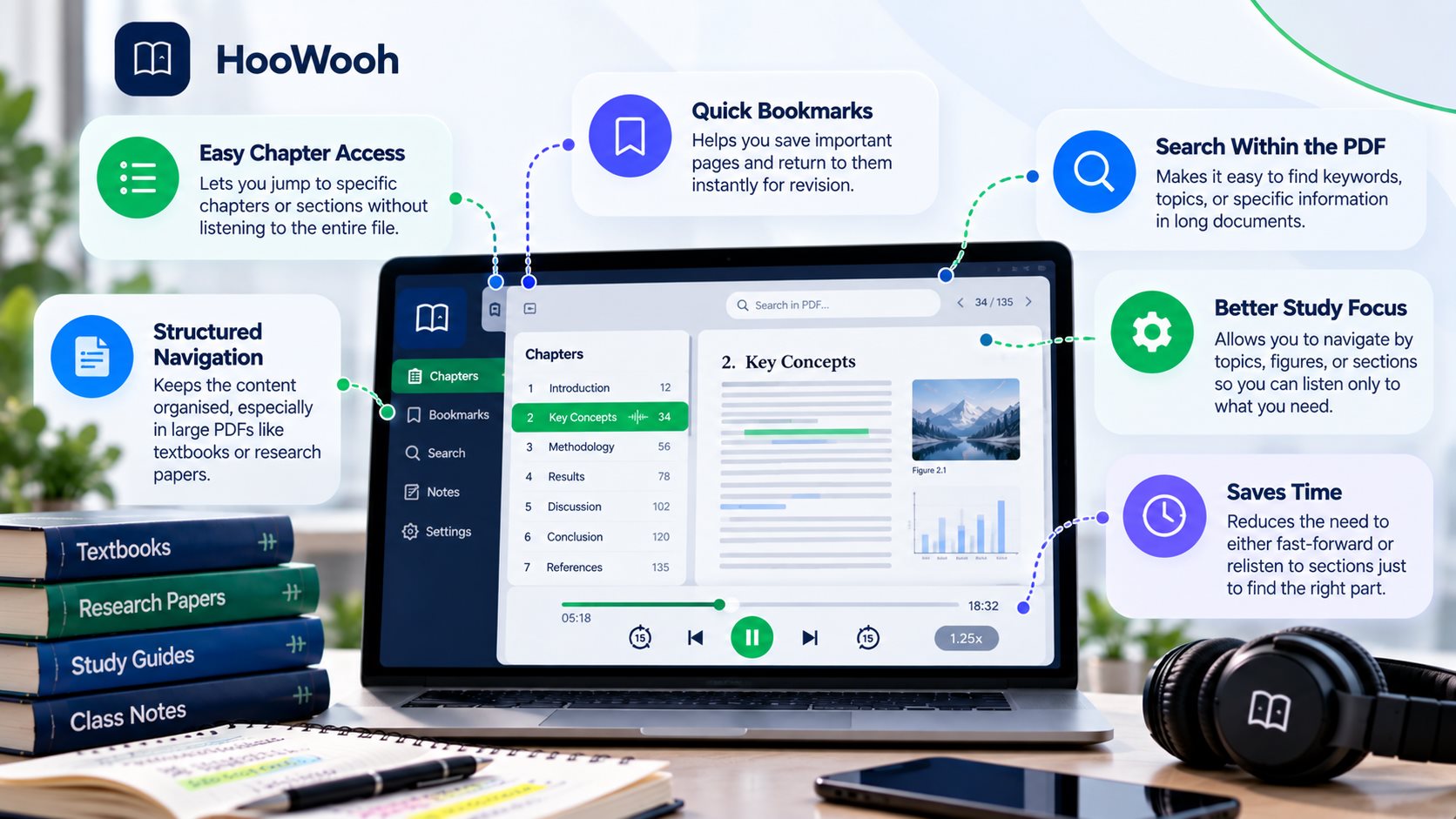
Visual readers can skim a page, scan headings, or jump to a highlighted section in seconds. Audio is linear, so poor navigation can make a converted PDF frustrating even when the voice sounds excellent.
Useful chapter navigation gives the listener a way to move through the document by meaning rather than by raw time. Headings, sections, bookmarks, and resume points can be more valuable during a ten-hour document than having dozens of voice choices.
For study material, navigation also supports review. A student may need one definition or one chapter again rather than the entire recording.
Do You Want Your PDF Read in Full or Summarised?
Not every AI audio tool produces the same kind of output. Some workflows read the source closely, while others create summaries, discussions, or podcast-style explanations. Those are different products.
If you are listening to assigned literature, a contract you need to review, or a chapter where every paragraph matters, a summary is not a substitute for the source. Look for a full-reading option.
A summary can still be useful when you only need an overview of a long report. Decide what you need before choosing the app, because a polished summary and a complete PDF audiobook solve different problems.
What Makes an App Good for Long PDFs?
Long files expose weaknesses that may not appear in a one-page demo. The app needs to keep paragraph order stable, maintain narration quality, preserve progress, and make it easy to return after a break.
Large documents also benefit from sections. A single continuous track can become difficult to manage. Clear chapter boundaries or heading-based navigation make a long PDF feel much closer to a normal audiobook.
Before converting an entire book, test one representative chapter. Include a page with headings, dialogue or technical terms, and any layout that could cause trouble.
Can PDF to Audiobook Apps Read Scanned PDFs?
Yes, when the workflow includes OCR, a scanned PDF can often be converted into text and then narrated. The quality of the result depends heavily on the quality of the scan.
OCR can misread letters, punctuation, page numbers, or words near the edge of a page. A small error in text becomes an audible error in narration. This is why scanned material needs a quality check before long-form generation.
Image-only PDFs with tables, handwriting, unusual fonts, or poor contrast may need manual cleanup. Keeping the original page available also helps when a spoken passage sounds wrong.
What About Multi-Column PDFs?
Multi-column pages are a common challenge because the visual reading order may not match the order in which text is stored inside the PDF. A weak PDF reader may jump from the first column into the wrong part of the second column.
Test research papers, magazines, and reports carefully. Good text extraction should preserve the logical sentence order rather than merely reading blocks based on their position in the file.
Tables and sidebars can create similar problems. When structure carries meaning, audio should support the document rather than replace visual inspection.
Can You Turn a PDF Into an Audiobook on Your Phone?
A mobile PDF reader or audiobook workflow can be useful when you receive documents on your phone and want to listen without moving to a desktop computer. The key questions are whether uploading, processing, navigation, and playback are comfortable on a smaller screen.
Do PDF to Audiobook Apps Work Offline?
Offline support can mean several different things. Some services need the internet to create the narration but allow the finished audio to be downloaded. Others stream the result and therefore need a connection during playback. A local AI workflow may process material on the device itself.
Local vs Cloud PDF to Audiobook Apps
Local Processing
Local AI can keep more of the workflow on your own device and may reduce dependence on an internet connection. It can appeal to users who want greater control over their files. The trade-off is that setup, storage, model size, and processing power can become your responsibility.
Cloud Processing
Cloud processing can make setup easier because the heavy work happens away from your device. It may also provide consistent access across phones and computers. In return, you should understand upload limits, account requirements, privacy terms, and whether audio remains available after processing.
Natural AI Voices vs Good PDF Handling
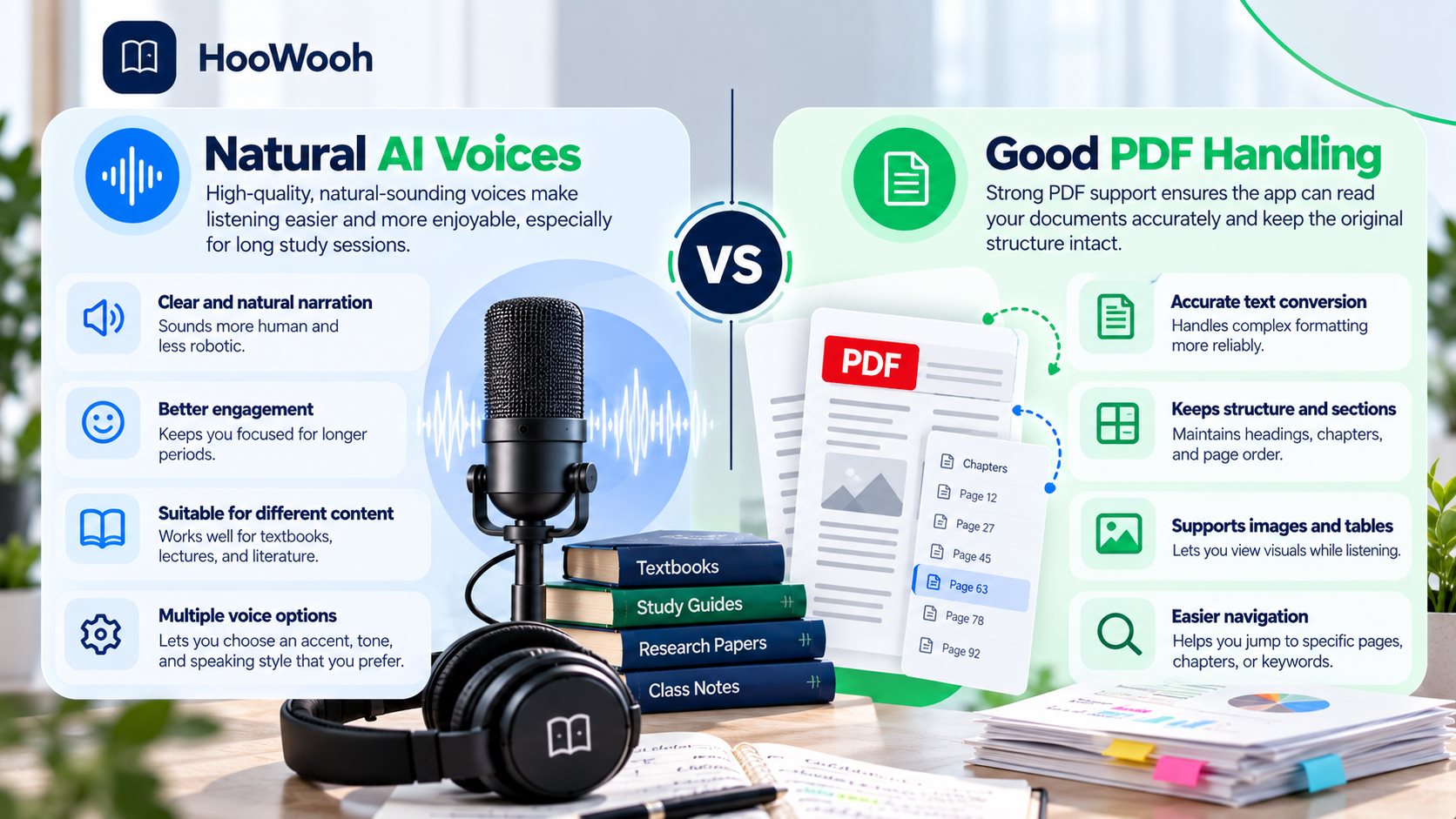
A natural voice cannot repair paragraphs read in the wrong order. It cannot make a chart understandable by itself, and it cannot fix a bad OCR result. Start by checking document accuracy, then judge voice quality.
For long listening, the ideal combination is clean extraction plus comfortable AI narration. Neither part should be ignored.
Are PDF to Audiobook Apps Useful for Students?
They can be useful when students need another way to access textbooks, lecture material, research papers, or assigned reading. Audio can fit into travel time and can also help with review while the original document remains available.
How to Turn a Textbook PDF Into Audio
Start with the cleanest version of the textbook you are allowed to use. Check whether the PDF contains selectable text. If it is scanned, OCR must happen before useful narration can be generated.
What PDF Content Does Not Convert Well to Audio?
Some information depends on where items appear on a page. Audio turns information into a sequence, so visual relationships can be lost. This is a limitation of the medium, not simply a problem with the voice.
- Tables where meaning depends on rows, columns, and comparison across cells.
- Charts, graphs, maps, diagrams, and labelled illustrations.
- Mathematical equations, chemical structures, and notation-heavy material.
- Code blocks where indentation, symbols, or layout affect meaning.
- Complex footnotes and citations that interrupt the main reading flow.
Are Free PDF to Audiobook Apps Worth Using?
Free tools can be useful for testing a workflow or converting short documents. The important question is what 'free' includes. Limits may apply to document length, monthly characters, voices, downloads, OCR, or audio quality.
What Should You Check Before Uploading a PDF?
First, make sure you have the right to use the document in the way you intend. Personal access to a PDF does not automatically grant every possible right to redistribute a generated audiobook.
Next, consider privacy. PDFs can contain personal information, unpublished work, business material, or confidential records. Understand where processing happens and avoid uploading sensitive content to a service unless its handling meets your needs.
How to Test a PDF to Audiobook App
Do not begin with the full document. A short, realistic sample can reveal most of the problems that matter.
- Choose two or three pages that include normal paragraphs, a heading, and any difficult layout you expect.
- Compare the extracted text with the PDF and check whether paragraphs appear in the correct order.
- Listen for names, technical terms, punctuation, pauses, and obvious OCR mistakes.
- Test chapter navigation, bookmarks, playback speed, resume behaviour, and any offline listening option you need.
- Only convert the full PDF after the sample is accurate, comfortable, and easy to navigate.
How to Choose the Best PDF to Audiobook App for Your Needs
Begin with your documents, not with a feature list. If you mainly convert clean novels, natural narration and long-form consistency may matter most. If you work with research papers, accurate multi-column extraction and navigation become more important.
For scanned books, prioritise OCR quality. For commuting, check downloads and offline listening. For study, look closely at playback speed, bookmarks, headings, and the ability to resume exactly where you stopped.
The best PDF to audiobook apps in 2026 are therefore not identical for every listener. Choose the workflow that handles your real files with the least friction.
How Hoowooh Fits a PDF-to-Audio Workflow
Hoowooh focuses on turning written material into expressive audio that is easier to listen to as long-form content. For a PDF workflow, the quality of the source and its extracted text still matters. Clean input gives narration a better foundation.
Frequently asked questions
What Is the Best PDF to Audiobook App in 2026? The best choice depends on your files. Look for accurate text extraction, OCR when needed, natural AI narration, long-document reliability, useful navigation, playback controls, and practical offline or export options. Test the app with a real PDF before committing to a full book.
Can I Upload a PDF and Have AI Read It Aloud? Yes. A PDF to audiobook workflow can extract the document text and generate spoken audio. Clean text-based PDFs are usually easier to process than scans. Complex layouts should be tested because reading order can affect the result.
Can a PDF to Audiobook App Read Scanned PDFs? It can if OCR is available. OCR converts the text visible in page images into machine-readable text before narration. Clear scans generally work better, while blurred pages, handwriting, tables, and unusual layouts can cause recognition errors.
Can I Turn a PDF Into an Audiobook for Free? Free options may be available, but limits can apply to document length, monthly usage, voices, OCR, downloads, or export. Check what the free level includes and test it with the type of PDF you actually use.
Can I Download a PDF Audiobook and Listen Offline? That depends on the workflow. Some services generate audio online and then allow offline playback or export, while others require streaming. Local processing can offer another route. Check both how the audio is created and how it can be played later.
Choose PDF Accuracy Before Voice Hype
The Best PDF to Audiobook Apps in 2026 should turn a visual document into audio that is accurate, comfortable, and easy to navigate. Natural voices matter, but so do PDF parsing, OCR, long-file reliability, headings, playback speed, offline listening, and export. Test your own material before converting the entire document.
Hoowooh can help you build a more natural document-to-audio experience. Start with clean source text, check difficult pages, and create audio that fits how you want to read, study, or listen.