If you want to know How to Turn a Textbook into an Audiobook, start with the format you already have. A PDF or EPUB can be converted directly, while a physical or scanned textbook may need OCR first. AI narration can then turn the readable text into clear audio for study and revision.
Can You Turn a Textbook into an Audiobook?
Yes. A digital textbook can often be converted from readable text into spoken audio, while a printed textbook can be scanned first. The exact workflow depends on whether you have an EPUB, a text-based PDF, a scanned PDF, or only a physical copy.
An audio textbook can be useful when you want to review a chapter while commuting, walking, or doing a simple task. It can also give students another way to revisit dense reading. However, audio should not be treated as a perfect replacement for the original textbook because diagrams, equations, tables, and page layouts may still need to be seen.
The best result comes from combining good source text with clear AI narration. Before converting hundreds of pages, test one chapter. That quickly shows whether headings are recognised, technical terms sound right, and the document contains visual material that needs separate attention.
How to Turn a Textbook into an Audiobook Step by Step
The process is easier when you separate document preparation from narration. First make sure the text can be read by software. Then choose the voice and generate the audio. Finally, review the result as study material rather than assuming every page converted perfectly.
Step 1: Check Your Textbook Format
Open the file and try to select a sentence with your cursor. If you can highlight and copy normal text, the PDF is probably text-based. If every page behaves like one large image, it is likely a scanned PDF and may need OCR.
EPUB files usually contain structured digital text, so headings and chapters can be easier to identify. Physical textbooks require scanning or photography before software can work with the printed words.
Step 2: Prepare the PDF or EPUB
Use a clean file whenever possible. Missing pages, sideways scans, dark shadows, handwritten notes, and cropped margins can create problems later. For a long textbook PDF, it can be useful to begin with the chapters you actually need instead of converting the whole book at once.
Step 3: Scan a Physical Textbook
If you only have a physical textbook, capture clear, straight pages in good light. Keep page edges visible and avoid fingers covering words. Curved pages near the spine can distort lines, so flatter images usually produce better text recognition.
Hoowooh supports scanning printed pages as part of its book-to-audio workflow. That means a physical book does not have to remain completely outside a digital listening routine.
Step 4: Extract Text With OCR
OCR stands for optical character recognition. It identifies printed characters inside an image and converts them into machine-readable text. Once the words are recognised, the system can send them to text-to-speech or a wider AI audiobook generator.
OCR quality matters. A blurry scan may turn a word into the wrong word, confuse symbols, or merge lines. Textbooks with columns, footnotes, formulas, or labels around diagrams can be harder than a simple page of continuous prose.
Step 5: Choose an AI Narrator
Choose an AI voice that is easy to understand for long periods. A dramatic performance is usually less important for a textbook than clear pronunciation, steady pacing, useful pauses, and consistent volume. The best voice is one you can comfortably follow while concentrating on the subject.
Step 6: Generate the Audiobook
After the text is prepared, AI narration converts it into speech. Long books may be processed in sections or chapters rather than as one enormous block. This helps preserve structure and makes the final audio easier to navigate.
Step 7: Review Difficult Sections
Listen closely to names, scientific terms, abbreviations, formulas, and numbered lists. Compare any suspicious sentence with the original page. A textbook audiobook is study material, so a small recognition or pronunciation error can matter more than it would in casual listening.
Step 8: Listen or Save for Later
Once the audio is ready, organise it around the way you study. Chapter-based listening is usually easier than one extremely long track. If the service supports downloadable audio, you can also prepare material before a commute or another period without reliable internet.
- Start with the chapters that are most relevant to your current class or exam.
- Use clean digital files or straight, well-lit scans for better text recognition.
- Choose a clear AI voice rather than the most dramatic narrator.
- Keep the original textbook nearby for charts, equations, and visual references.
- Review difficult terminology before relying on the audio for revision.
How to Turn a Physical Textbook into an Audiobook
A physical textbook adds one extra stage: the printed page must become digital text before it can become speech. That usually means book scanning followed by OCR. Once the text is machine-readable, the rest of the workflow is similar to converting a digital textbook.
You do not always need to scan the entire book. If an exam covers four chapters, converting only those chapters can save time and reduce unnecessary files. It also makes quality checking more realistic.
Printed textbooks with glossy pages, tight bindings, small type, or two-column layouts need extra care. Check the first few scanned pages before continuing. If OCR is already mixing columns or missing words, improve the scan rather than creating hours of flawed audio.
What Is OCR and Why Do Scanned Textbooks Need It?
A scanner or phone camera creates an image. An image may look perfectly readable to you while still containing no selectable text for speech software. Optical character recognition bridges that gap by detecting letters and words in the image.
OCR is especially important for older textbooks and hand-scanned course material. It can recognise ordinary printed paragraphs well when the page is clear, but it is not magic. Handwriting, unusual fonts, damaged pages, mathematical notation, and complex layouts can reduce accuracy.
That is why a scanned PDF should be checked before AI narration begins. If the extracted text is wrong, the narrator may confidently read the wrong words.
Can AI Convert a 500-Page Textbook?
Long textbooks can be converted, but length changes how you should approach the job. A 500-page file contains far more text than a short article, and the book may include several sections that are poor candidates for audio.
Breaking the textbook into chapters gives you better control. You can generate the chapters you need, review them separately, and avoid reprocessing the entire book when one section has a problem. It also creates more useful chapter audio for revision.
Processing time depends on file length, OCR needs, platform limits, and the complexity of the content. Avoid assuming that every long textbook will finish in the same amount of time.
What Happens to Tables, Charts and Equations?
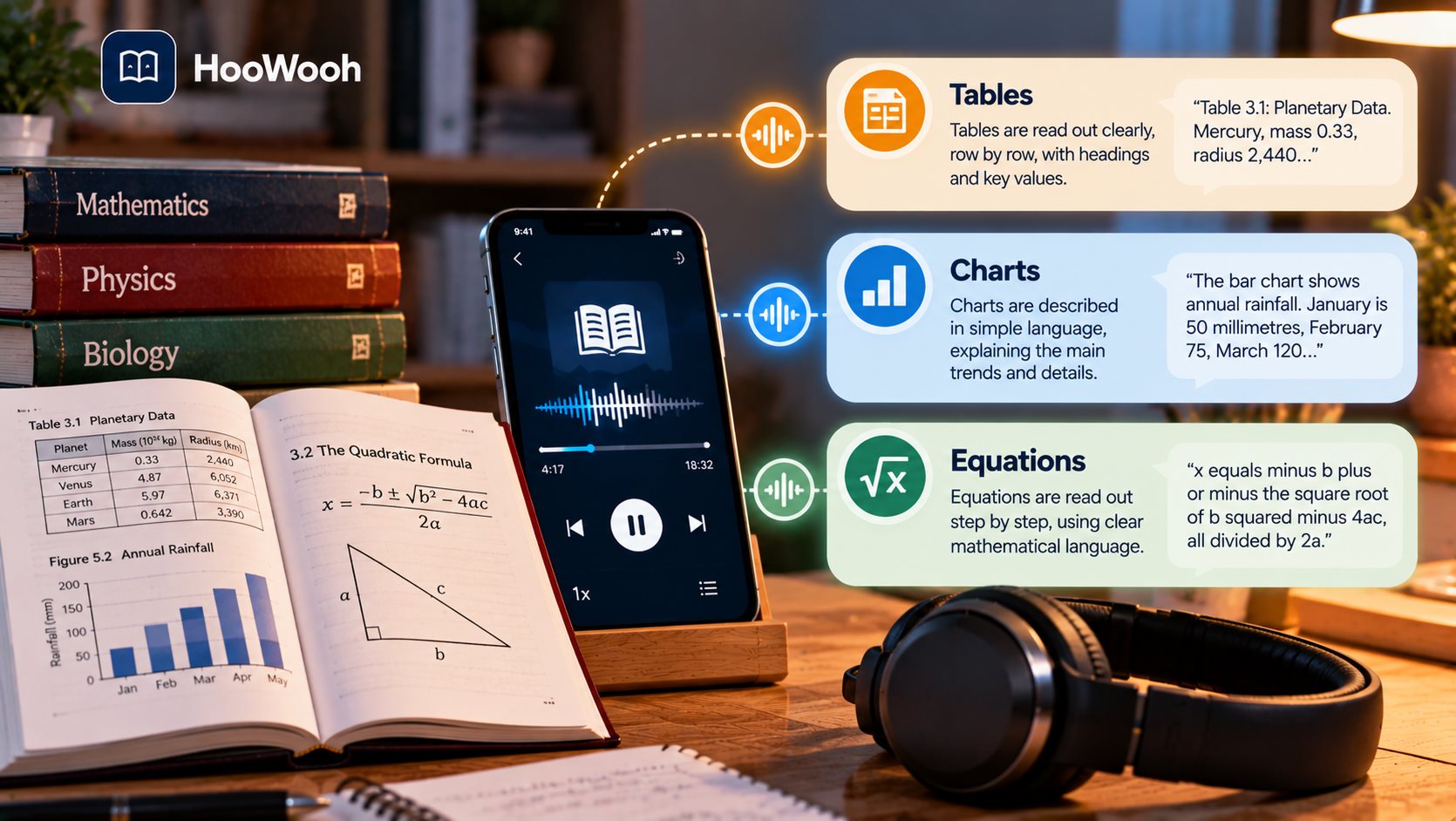
This is one of the biggest differences between converting a novel and converting a textbook. Continuous paragraphs translate naturally into speech. A table, chart, labelled diagram, equation, map, or graph often carries information through its visual arrangement.
AI narration may read surrounding text or extracted labels, but that does not guarantee the listener receives the same meaning as someone viewing the page. Hearing “see Figure 6.3” is not helpful if Figure 6.3 contains the information you need.
For subjects that depend heavily on visuals, use the audio textbook beside the original pages. Listen to explanations and definitions, then pause to inspect diagrams, equations, worked examples, or tables.
What About Scientific Terms and Difficult Pronunciations?
Textbooks often contain words that do not appear in everyday conversation. Biology has species names. Medicine has specialised terminology. Computing uses acronyms. History includes unfamiliar people and places. Language textbooks may contain words from more than one language.
An AI voice may pronounce common terms correctly while struggling with a rare name or abbreviation. OCR can add another source of error if the printed term was recognised incorrectly.
Proof-listening is therefore part of a good textbook-to-audiobook workflow. When a word sounds wrong, check the page before memorising it. For important exam terms, keep a short written list of the correct spelling and pronunciation.
AI Audiobook vs Text-to-Speech for Textbooks
Basic text-to-speech focuses on reading written text aloud. It can be useful, but some systems produce flat pacing, awkward pauses, or limited control over long-form structure. An AI audiobook workflow may add chapter handling, voice choices, document processing, and more natural narration.
For textbooks, natural does not need to mean theatrical. Students usually benefit more from clarity and consistency than from strong emotional acting. A useful narrator should make a dense paragraph easier to follow without distracting from the subject.
Hoowooh describes its narration as scenario-based, with tone and pacing that can adapt to the content. Students can explore the wider process through its AI Audiobook Generator.
How to Make a Textbook Audiobook Easier to Study From
Listening becomes more useful when it is tied to an active study plan. Instead of playing ten chapters in the background, decide what you are trying to learn from each session. Audio can help you revisit material, but important concepts still need attention.
Try listening to a section after you have already skimmed the page. Familiar headings give the audio more context. You can also pause after a key definition and explain it in your own words before continuing.
- Listen to one chapter or topic at a time instead of playing the whole book continuously.
- Pause after key definitions and summarise them in your own words.
- Follow the printed page when the lesson contains diagrams, formulas, or tables.
- Replay difficult sections rather than increasing the volume or speed.
- Use audio for review, then return to written notes for active recall and exam practice.
Can You Convert Only the Chapters You Need?
Yes, and for many students that is the smarter approach. If your course covers selected chapters, there is little value in creating audio for hundreds of unrelated pages. Smaller sections are easier to scan, process, review, organise, and replace if something goes wrong.
Chapter-by-chapter conversion also fits revision. You can keep one audio file for cell biology, another for genetics, and another for ecology instead of searching through a single track several hours long.
Before uploading or scanning, check whether the textbook already has clear chapter boundaries. Good digital structure can make the finished audiobook easier to navigate.
Can You Listen to a Textbook Audiobook Offline?
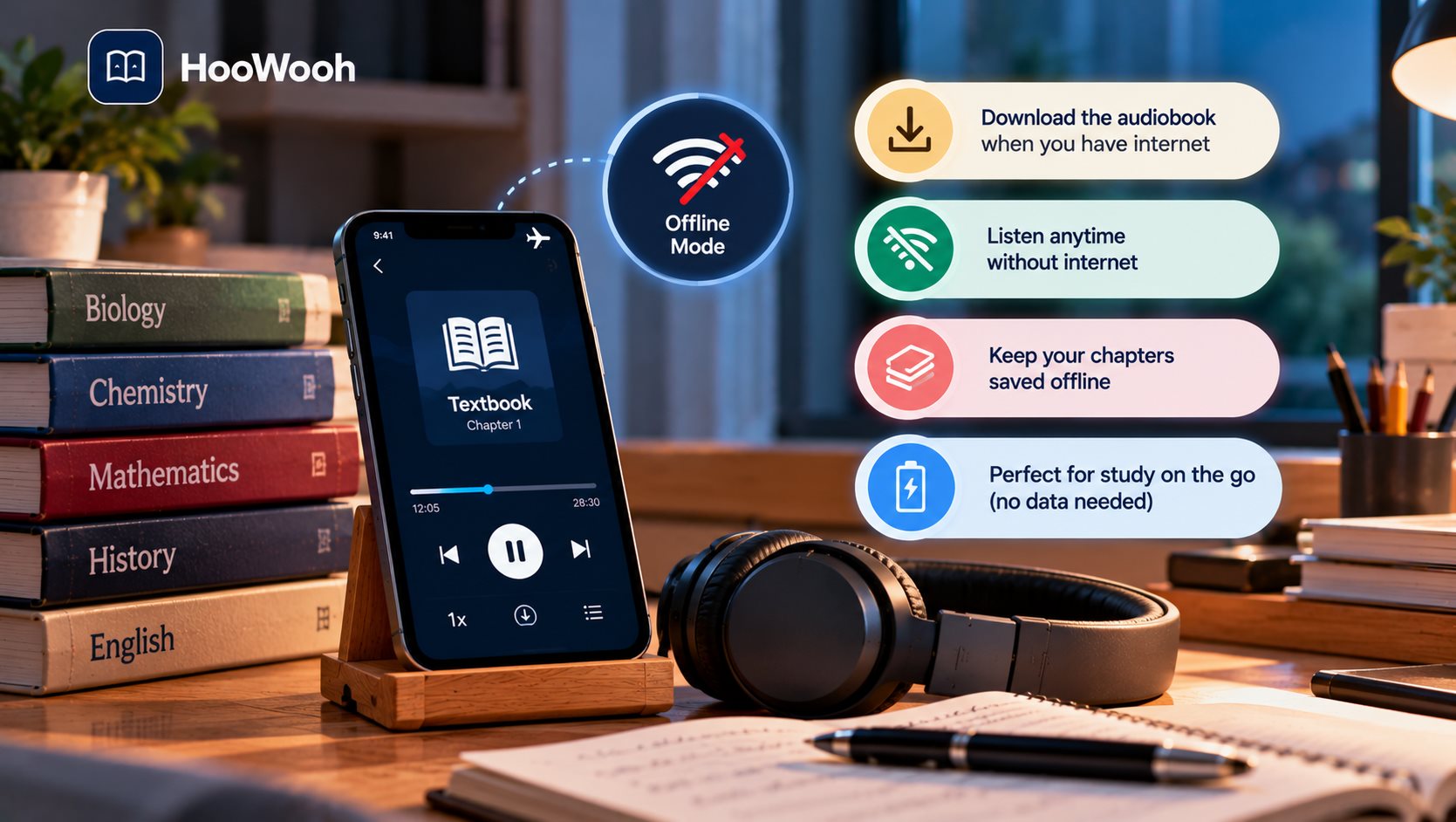
Offline listening is useful for commuting, travel, weak internet connections, or study sessions where you want fewer online distractions. Whether you can download the finished audio depends on the service and the format it provides.
Hoowooh's current product information describes offline MP3 listening for generated audiobooks. Its PDF to Audiobook page explains how PDF documents can move from uploaded text to structured audio.
Is It Legal to Turn a Textbook into an Audiobook?
Copyright and access rules depend on the material, your location, the platform, and what you plan to do with the audio. Owning a textbook is not the same as owning the right to publish or sell a new audiobook edition.
A practical rule is to convert only material you own or are authorised to use and follow the service's terms. Personal study and public distribution are not the same use. If you plan to share, publish, or sell converted material, the rights questions become more important.
Hoowooh tells users to upload books and documents they own or are authorised to use. It also states that DRM-protected ebooks are not supported.
How to Turn a Textbook into an Audiobook With Hoowooh
Hoowooh brings several parts of the process into one audiobook workflow. A student can work from supported digital files or scan printed pages, choose a voice and narration style, and generate audio for listening.
For a physical book, the most relevant feature is the ability to scan pages and use OCR before narration. Hoowooh's Scan Book to Audio information explains the printed-book workflow and the limits of OCR, including the importance of clear printed text.
The platform is most useful when you treat it as a way to make readable textbook content easier to listen to. It cannot remove the need to inspect a chemistry diagram, solve a maths problem, or understand a chart. Those tasks still belong in the study process.
A Quick Textbook-to-Audiobook Checklist
Before generating a long audio textbook, run through a short quality check. It can save time and prevent you from studying from a flawed conversion.
- Confirm that you own or are authorised to use the textbook content.
- Check whether the file contains selectable text or needs OCR.
- Test one chapter before converting the entire textbook.
- Review tables, charts, equations, and technical terms against the original page.
- Organise the final audio by chapter so revision stays easy to navigate.
Frequently asked questions
Can I turn a PDF textbook into an audiobook? Yes. A text-based PDF can often be converted directly into speech. A scanned PDF may need OCR first so the printed words become machine-readable. Complex layouts should be reviewed before you rely on the audio.
Can I turn a physical textbook into an audiobook? Yes. Scan or photograph clear pages, use OCR to extract the printed text, and then generate narration. For a long physical textbook, converting only the chapters you need is often easier than scanning the whole book.
Can AI read tables and diagrams in a textbook? AI may extract some labels or surrounding text, but audio does not automatically preserve the meaning of a visual layout. Use the original textbook alongside the narration when a lesson depends on charts, diagrams, maps, formulas, or tables.
Can I convert only one chapter of a textbook to audio? Yes. Chapter-based conversion is useful for revision because it creates shorter files and makes quality checking easier. It also prevents you from spending time on chapters that are not part of your current course.
Can I listen to my textbook audiobook offline? That depends on the platform. If the service provides downloadable audio, you can prepare chapters for offline listening. Hoowooh currently describes generated audiobooks as available for offline MP3 listening.
Conclusion
Learning How to Turn a Textbook into an Audiobook starts with knowing what kind of textbook you have. Digital text can move directly toward narration, while physical books and scanned PDFs may need OCR. The best study audio also requires checking technical terms, visual content, chapters, and pronunciation.
An audio textbook can make revision more flexible, but it works best beside the original material when diagrams, equations, and tables matter. If you want to turn authorised study material into listenable chapters, explore Hoowooh and create an audiobook workflow that fits the way you study.